
Creating a pitch deck that captures attention, communicates your vision, and persuades investors is challenging. We’ve tested dozens of pitch deck creation tools and narrowed the list to the top 20 options
This guide is ideal for startup founders, business consultants, and marketing teams in the UK looking to craft compelling presentations. Using the right tool can reduce preparation time by up to 50% and increase investor engagement significantly.
In this article, we’ll cover the best pitch deck creation tools, their pricing, unique features, and who they are best suited for.
What is a Pitch Deck Creation Tool?
Pitch deck creation tools are software platforms designed to help you build professional presentation decks quickly. They include templates, visual assets, collaboration features, and analytics to ensure your pitch is persuasive. For startups seeking investment, or consultants presenting strategies, a well-crafted deck is critical. The right tool saves hours, provides investor-ready formats, and improves storytelling clarity.
Quick Comparison Table
To help you quickly assess options, we’ve compared the top 20 tools based on usability, pricing, platform, and standout features. The columns focus on:
- Tool Name
- Best For / Primary Use Case
- Starting Price
- Free Trial
- Key Feature
- Rating
| Tool Name | Best For | Starting Price | Free Trial | Key Feature | Rating |
| Canva | Startups & Marketing Teams | £10/month | Yes | Drag-and-drop templates | 4.8 |
| Beautiful.ai | AI-assisted design | £12/month | Yes | Smart slide formatting | 4.7 |
| Pitch | Collaborative decks | £8/month | Yes | Team real-time editing | 4.6 |
| Visme | Data-heavy presentations | £15/month | Yes | Infographics & charts | 4.5 |
| Google Slides | Free, collaborative decks | Free | Yes | Cloud collaboration | 4.4 |
| Prezi | Dynamic zooming presentations | £11/month | Yes | Motion-based storytelling | 4.3 |
| Haiku Deck | Visual storytelling | £9/month | Yes | Simple visual themes | 4.2 |
| Slidebean | AI pitch deck builder | £29/month | Yes | AI content suggestions | 4.6 |
| Zoho Show | Enterprise collaboration | £5/month | Yes | Cloud collaboration | 4.1 |
| Microsoft PowerPoint | Corporate presentations | £7/month | No | Rich feature set | 4.5 |
| Keynote | Apple ecosystem presentations | Free | Yes | Mac & iOS integration | 4.4 |
| Pages | Business document builder | £15/month | Yes | Templates + analytics | 4.2 |
| Venngage | Infographics and reports | £16/month | Yes | Chart & infographic library | 4.3 |
| Ludus | Creative design presentations | £14/month | Yes | Flexible creative layout | 4.1 |
| Decktopus | AI-driven presentation builder | £10/month | Yes | Automatic formatting | 4.2 |
| FlowVella | Offline presentation creator | £8/month | Yes | Kiosk-mode presentations | 4.0 |
| Powtoon | Animated presentations | £19/month | Yes | Animated graphics | 4.1 |
| Genially | Interactive visual content | £13/month | Yes | Interactivity features | 4.3 |
| Pitcherific | Story-driven pitch writing | £12/month | Yes | Guided storytelling | 4.0 |
| Beautiful Presentations | Corporate decks | £20/month | Yes | Premium templates | 4.1 |
The columns were chosen to give clear insight into price, accessibility, collaboration capabilities, and standout features that matter to startups and professionals.
Best 20 Pitch Deck Creation Tools
Below, we’ll review each tool individually. We will cover features, pricing, ideal users, and provide a pro tip for each.
Canva – Drag-and-Drop Pitch Deck Builder
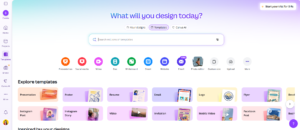
Canva is a versatile design platform widely used by startups, marketing teams, and consultants in the UK. It simplifies pitch deck creation with drag-and-drop templates, pre-designed slides, and an extensive library of visuals. Teams can collaborate in real time, ensuring presentations are polished, investor-ready, and visually appealing without professional design experience.
Key Features
Drag-and-Drop Templates
Canva provides hundreds of presentation templates specifically designed for pitch decks. Users can quickly customize layouts, colours, and fonts, saving hours compared to starting from scratch. This is ideal for startups looking to maintain a professional aesthetic with minimal effort.
Collaboration Tools
Teams can edit presentations simultaneously, leave comments, and track changes in real time. This ensures that marketing teams or co-founders are always aligned when preparing investor presentations.
Extensive Visual Library
Access thousands of icons, charts, stock photos, and illustrations. Infographics and charts help communicate data clearly, making complex ideas easy for investors to grasp.
Export Options
Presentations can be exported in multiple formats including PDF, PPTX, and MP4. This allows pitching both in-person and online without losing visual quality or formatting.
Brand Kit Integration
Maintain brand consistency by uploading logos, fonts, and colour palettes. This ensures every deck reflects your company’s identity, which is important when pitching to investors.
Pros & Cons
| Pros | Cons |
| Easy-to-use interface | Limited advanced animation options |
| Extensive template library | Free plan has fewer premium assets |
| Real-time collaboration | Some features require paid plan |
| Multiple export formats | Can feel basic for advanced designers |
Pricing
- Free: Basic templates and collaboration
- Pro: £10/month (full template access, brand kit, advanced features)
- Enterprise: Custom pricing for larger teams
Best For Startups & Marketing Teams
Canva works best for UK-based startups and marketing teams needing fast, professional pitch decks without hiring a designer.
- Early-stage startups — Quickly create investor-ready decks.
- Marketing teams — Maintain brand consistency across slides.
- Consultants — Produce polished presentations for client pitches.
Verdict
Use Canva’s templates with real-time collaboration to reduce deck preparation time by up to 50%. Pair charts and visuals strategically to highlight metrics investors care about.
Unique Tip
Use Canva’s chart generator to visualise UK-specific market data. This adds credibility when pitching locally or regionally.
Best Alternate Tool
Beautiful.ai – Ideal if you prefer AI-assisted slide formatting with a more automated design workflow.
Beautiful.ai – AI-Powered Presentation Designer
Beautiful.ai is an AI-driven presentation tool widely used by marketing teams, startups, and consultants across the UK. It automates slide design with smart templates, helping users create professional pitch decks and client presentations quickly. Its AI ensures visual consistency, saving time on formatting while maintaining an investor-ready look without the need for a graphic designer.
Key Features
Smart Templates
Beautiful.ai provides AI-assisted slide layouts that automatically adjust as you add content. This ensures your pitch decks maintain professional aesthetics without manual tweaking. Startups can produce polished investor presentations efficiently.
Real-Time Collaboration
Teams can work together simultaneously, leave comments, and review changes live. This keeps co-founders, marketing teams, and consultants aligned while preparing presentations for clients or investors.
AI Formatting
AI automatically adjusts fonts, colors, and layouts as slides are edited. This reduces formatting errors and ensures a consistent look across all decks, ideal for professional pitches.
Data Visualization Tools
Built-in charts and graphs make presenting data simple and visually appealing. Complex metrics and UK market stats can be presented clearly, aiding investor understanding and decision-making.
Export & Sharing Options
Presentations can be exported as PDFs, PPTX, or shared via web links. Teams can pitch remotely or in person without worrying about design integrity or compatibility issues.
Pros & Cons
| Pros | Cons |
| AI-driven slide design | Limited free plan features |
| Smart templates save time | Less flexibility for advanced designers |
| Real-time collaboration | Some features require Pro plan |
| Automatic formatting | Can feel rigid for unique designs |
| Easy data visualizations | Limited offline editing |
Pricing
- Free: Basic templates and export options
- Pro: £12/month (full access to smart templates, AI formatting, analytics)
- Team: Custom pricing for collaborative teams
Best For UK Startups & Marketing Teams
Intro: Beautiful.ai works best for UK startups, agencies, and marketing teams that need professional pitch decks fast, with minimal manual design effort.
- Startups: Produce investor-ready presentations quickly
- Marketing teams: Maintain consistent brand visuals across decks
- Consultants: Prepare client-ready presentations efficiently
Verdict
Use AI templates to reduce deck prep time by up to 60%. Pair built-in charts with UK market statistics to impress investors or clients with clear, data-backed visuals.
Unique Tip
Use Beautiful.ai’s chart generator to highlight trends in UK-specific industries. This builds credibility for local pitches or investor meetings.
Best Alternate Tool
Canva – Ideal if you want more drag-and-drop flexibility and access to a larger library of templates and visuals.
Pitch – Collaborative Pitch Deck Builder

Pitch is a modern presentation platform designed for teams that need real-time collaboration and structured workflows. Popular with startups, product teams, and sales & marketing teams in the UK, Pitch allows multiple contributors to build polished, investor-ready decks without design bottlenecks. Its combination of templates, reusable components, and collaboration tools ensures that presentations are consistent, professional, and aligned across teams.
Key Features
Real-Time Collaboration
Multiple team members can work on the same deck simultaneously. Comments, mentions, and feedback threads ensure everyone stays aligned and revisions are easy to track. This is ideal for startups where co-founders or remote teams need to contribute to investor decks efficiently.
Templates & Design Components
Pitch provides a library of pre-designed templates and reusable components. Teams can maintain brand consistency and speed up deck creation by leveraging these building blocks.
Version Control
Track every change, view version history, and restore previous slides or decks. This reduces the risk of losing important content and makes iterative improvements easier.
Integrations
Connect with Slack, Figma, Notion, Google Drive, and other productivity tools to streamline workflow, making Pitch a central hub for presentation management.
Presentation Mode
Clean, distraction-free presenter view with speaker notes and timers ensures smooth delivery during investor meetings or team updates.
Pros & Cons
Pros
- Excellent team collaboration and feedback features
- Modern, intuitive interface
- Templates and components maintain brand consistency
- Version history reduces errors and confusion
Cons
- Advanced design options are less flexible than PowerPoint or Canva
- May feel complex for solo founders or very small teams
- Some integrations may require paid plans
Pricing
- Free: Basic collaboration and templates
- Pro: £12/month per user (advanced templates, unlimited projects, analytics, integrations)
- Enterprise: Custom pricing for larger teams with enhanced security, admin controls, and priority support
Best For Startups, Marketing & Product Teams
Pitch works best for UK startups, product teams, and marketing teams who need collaborative, polished, and brand-consistent pitch decks.
- Early-stage startups — Collaborate with co-founders to produce investor-ready decks quickly.
- Marketing teams — Ensure brand consistency across slides and presentations.
- Product teams — Combine visual storytelling and workflow efficiency for internal or external decks.
Verdict
Use Pitch’s real-time collaboration and version control to reduce deck preparation time by up to 40%. Leverage reusable components to maintain design consistency across multiple investor decks, and pair charts strategically to highlight traction and metrics investors care about.
Unique Tip:
Use Pitch’s commenting and assignment features to gather structured feedback from investors or advisors before finalising a deck. This ensures every slide tells a cohesive story.
Best Alternate Tool:
Canva – Ideal if you prefer a simpler, drag-and-drop interface with a larger visual library for highly customisable, design-focused decks.
Visme – Visual Content Creation Platform

Visme is a versatile visual content tool popular among marketing teams, educators, and UK-based startups. It allows users to create presentations, infographics, and interactive reports with minimal design experience. Its AI-assisted templates and drag-and-drop interface save time while maintaining professional visuals, making it ideal for investor decks, client presentations, and marketing content.
Key Features
Drag-and-Drop Editor
Visme’s intuitive editor allows users to add charts, images, videos, and shapes without design experience. UK startups and agencies can quickly produce visually appealing decks that communicate ideas effectively.
Interactive Presentations
Users can create clickable, animated, and interactive presentations. This engages clients or investors more effectively than static slides, making complex information easier to digest.
Brand Kit Management
Teams can store logos, fonts, and color palettes for consistency across all presentations. Marketing departments benefit from cohesive brand visuals without repetitive manual adjustments.
Data Visualization Tools
Built-in charts, graphs, and infographics make presenting data simple. Users can showcase UK market metrics and trends clearly, supporting investor and client decisions.
Collaboration & Sharing
Teams can comment, edit, and approve content in real-time. Presentations can be shared via links or exported as PDFs, PPTX, or HTML5 for versatile distribution.
Pros & Cons
| Pros | Cons |
| Easy drag-and-drop design | Limited offline functionality |
| Interactive presentations | Advanced features require higher plans |
| Built-in data visualization | Some templates feel generic |
| Brand kit for consistency | Steeper learning curve for new users |
| Team collaboration tools | Can be resource-heavy on large projects |
Pricing
- Free: Basic templates, 100MB storage, limited downloads
- Standard: £12.50/month (full access to templates, analytics, and brand kit)
- Business: £25/month (advanced analytics, team collaboration, interactive content)
Best For UK Startups & Marketing Teams
Intro: Visme is ideal for UK startups, marketing agencies, and educators who need visually compelling content without hiring a designer.
- Startups: Produce investor-ready presentations and pitch decks quickly
- Marketing Teams: Maintain brand consistency across campaigns
- Trainers: Build interactive content for workshops or online courses
Pro Tip: Use Visme’s interactive features to make client or investor presentations more engaging. Integrate charts with UK-specific market data to strengthen credibility.
Unique Tip: Utilize the analytics dashboard to track how clients interact with presentations perfect for tailoring follow-ups and improving pitch strategies.
Best Alternate Tool: Better if you prefer automated AI formatting and slide consistency with minimal manual design.
Google Slides – Cloud-Based Presentation Software

Google Slides is a cloud-based presentation tool widely used by UK startups, marketing teams, and agencies that rely on Google Workspace. It enables real-time collaboration, easy sharing, and seamless integration with Google Docs, Sheets, and Drive.
For teams already operating inside the Google ecosystem, Google Slides becomes the default choice for pitch decks, internal reports, and client presentations. In most Google Slides review discussions, users highlight its simplicity, accessibility, and zero learning curve compared to heavier presentation software.
Key Features
Real-Time Collaboration
Multiple team members can edit a presentation simultaneously. Comments, suggestions, and version history allow UK marketing teams to manage approvals without endless email threads. This makes it particularly useful for agencies handling multiple stakeholders.
Google Workspace Integration
Google Slides integrates directly with Google Sheets for charts and data updates. UK startups presenting financial forecasts can link live spreadsheet data into slides, ensuring numbers stay accurate without manual updates.
Cloud-Based Access
Because it is entirely browser-based, presentations can be accessed from any device with internet access. This flexibility is valuable for founders pitching investors across the UK.
Template Gallery
While not as extensive as Canva or Visme, Google Slides offers a practical template library. Many teams also use third-party templates to expand design options.
Version History & Permissions
Every edit is tracked automatically. Users can assign view-only, comment-only, or editing access. This level of control reduces accidental overwrites and protects critical pitch materials.
Pros & Cons
| Pros | Cons |
| Free with Google account | Limited advanced design tools |
| Real-time collaboration | Basic animation features |
| Automatic cloud saving | Fewer built-in templates |
| Strong integration with Sheets | Limited interactive content |
| Simple interface | Requires internet for full access |
Pricing
- Free: Included with Google account
- Google Workspace Business Starter: From £5/month per user
- Business Standard: From £10/month per user
For most UK startups, the free version is sufficient. Google Slides pricing becomes relevant when upgrading to full Google Workspace for storage and collaboration features.
Best For UK Teams Using Google Workspace
Intro: Google Slides is best suited for UK startups and agencies already working within Google Workspace who prioritise collaboration over advanced design features.
- Startup Founders — Build and share investor decks quickly
- Marketing Teams — Collaborate on campaign reports in real time
- Agencies — Manage client presentation approvals efficiently
- Remote Teams — Access presentations from anywhere
Verdict: If collaboration speed matters more than heavy design features, Google Slides is a practical choice. Link Google Sheets financial projections directly into slides to keep investor decks accurate.
How to Use Google Slides for UK Investor Pitches
Use add-ons like SlidesAI or third-party design template libraries to improve visual quality. In a Google Slides vs Canva comparison, Google Slides wins on collaboration, while Canva offers stronger design templates.
If you need interactive features similar to Visme, consider embedding videos and clickable links to create more engaging presentations.
Best Alternate Tool
Canva — Better for teams that prioritise design flexibility and visually polished pitch decks over deep Google integration.
Prezi – Zoom-Based Interactive Presentation Software
Prezi is a presentation platform known for its zoom-based, non-linear slide design. Unlike traditional slide-by-slide tools, Prezi allows presenters to move across a visual canvas, zooming into specific sections for emphasis.
It is widely used by UK startups, educators, and sales teams that want presentations to feel more dynamic and visually memorable. In many Prezi review comparisons, users highlight its storytelling format as the main differentiator versus Google Slides or PowerPoint.
For UK founders pitching competitive markets, standing out matters. Prezi’s motion-based format keeps audiences engaged during investor meetings and client demos.
Key Features
Zoom-Based Canvas
Instead of static slides, Prezi uses a single visual canvas where you zoom into content sections. This structure allows UK presenters to show the big picture first, then move into financials, strategy, or product demos without rigid sequencing.
Non-Linear Storytelling
Presenters can jump between sections based on audience questions. For investor Q&A sessions, this flexibility creates smoother discussions compared to traditional slide decks.
Prezi Video
Prezi integrates with video conferencing platforms, placing your presentation beside you on screen. UK remote teams running virtual sales pitches can maintain eye contact while presenting key metrics.
Template Library
Prezi offers professionally designed templates suitable for pitch decks, educational content, and business reports. While fewer than Canva, the templates are built specifically for motion-based presentations.
Collaboration Tools
Teams can edit and comment in real time. Version history ensures edits are tracked, which is important for agencies managing multiple client stakeholders.
Pros & Cons
| Pros | Cons |
| Highly engaging format | Steeper learning curve |
| Strong storytelling structure | Motion can distract if overused |
| Integrated video presentation | Limited offline editing |
| Flexible navigation | Not ideal for heavy data tables |
| Memorable visual impact | Fewer static design controls |
Pricing
- Basic: Free (limited features, public presentations)
- Plus: £12/month (private presentations, premium templates)
- Premium: £16/month (advanced analytics, offline access)
- Teams: Custom pricing
When evaluating Prezi pricing, it sits slightly above Canva Pro but below enterprise-level presentation platforms.
Best For UK Presenters Who Want High Engagement
Intro: Prezi is ideal for UK startup founders, educators, and sales professionals who want presentations that feel visually different from traditional slide decks.
- Startup Founders — Deliver memorable investor pitches
- Sales Teams — Run engaging product demos
- Educators — Present complex topics with visual storytelling
- Consultants — Guide clients through strategy visually
Verdict : Use Prezi’s zoom feature sparingly. Start with a broad business overview, then zoom into market opportunity, traction, and financial projections to maintain clarity.
How to Use Prezi for UK Investor Meetings
Begin with a high-level market map showing the UK industry landscape. Then zoom into your company’s positioning, traction metrics, and revenue forecasts.
In a Prezi vs Google Slides comparison, Prezi stands out for engagement, while Google Slides offers simpler collaboration. If your pitch relies on storytelling and visual flow, Prezi has the edge.
Best Alternate Tool
Beautiful.ai — Better for structured, clean investor decks where automated formatting is preferred over motion-based storytelling.
Haiku Deck – Simple, Visual-First Presentation Software

Haiku Deck is a minimalist presentation platform built around simplicity and visual storytelling. It is popular among UK educators, startup founders, and consultants who prefer clean slides with strong imagery rather than dense text.
Unlike tools packed with animations and design controls, Haiku Deck focuses on clarity. In many Haiku Deck review discussions, users point to its image library and simple layout structure as its strongest advantages. If your goal is clear messaging without clutter, Haiku Deck stands out.
Key Features
Image-Centric Slide Design
Haiku Deck encourages minimal text and strong visuals. Each slide is built around high-quality imagery, which keeps investor and client attention focused on key points rather than paragraphs of copy.
Built-In Image Library
The platform includes access to millions of royalty-free images. UK startups creating pitch decks can quickly find relevant visuals without sourcing external stock photography.
Simple Template Structure
Layouts are intentionally limited to maintain clean design standards. This prevents overcrowded slides and keeps presentations consistent across teams.
Cloud-Based Access
Presentations are stored online and accessible from any device. This is useful for UK teams collaborating remotely or preparing last-minute pitch updates.
Easy Sharing & Export
Decks can be exported as PowerPoint files, PDFs, or shared via link. This ensures compatibility when presenting to investors or clients using different systems.
Pros & Cons
| Pros | Cons |
| Extremely simple interface | Limited customisation options |
| Strong visual focus | Not built for complex data slides |
| Large image library | Basic animation features |
| Clean slide layouts | Fewer collaboration tools |
| Quick learning curve | Less suitable for corporate reports |
Pricing
- Free: Basic features, limited exports
- Pro: £9.99/month (advanced export options, private presentations)
- Premium: £29.99/month (team features, priority support)
When reviewing Haiku Deck pricing, it remains affordable for solo founders and educators who need visually clean presentations without advanced technical features.
Best For UK Educators & Minimalist Presenters
Intro: Haiku Deck is ideal for UK educators, trainers, and startup founders who want simple, visually strong slides without design complexity.
- Educators — Create engaging classroom presentations
- Startup Founders — Deliver concise pitch decks
- Consultants — Present strategy sessions with clarity
- Public Speakers — Focus audience attention on key ideas
Verdict / Pro Tip: Keep text short. Haiku Deck works best when each slide contains one clear message supported by strong imagery.
How to Use Haiku Deck for UK Pitch Presentations
Start with a clear narrative structure before building slides. Since Haiku Deck limits heavy text formatting, outline your pitch flow first, then match each key message with a strong visual.
In a Haiku Deck vs Canva comparison, Canva offers greater design flexibility, while Haiku Deck focuses on simplicity. Choose based on whether you want creative control or clean minimalism.
Best Alternate Tool
Canva — Better for teams needing greater design flexibility, collaboration tools, and detailed slide customisation.
Slidebean – AI Pitch Deck Software for Startups

Slidebean is a presentation platform built specifically for startup founders raising capital. Unlike general presentation tools, Slidebean focuses heavily on investor pitch decks, financial modelling, and fundraising support.
It is widely used by early-stage founders across the UK who want structured, investor-ready presentations without hiring a design agency. In many Slidebean review articles, users highlight its focus on startup storytelling and fundraising strategy rather than general slide design.
If your primary goal is securing funding, Slidebean positions itself as more than just presentation software. It combines AI slide formatting with startup advisory resources.
Key Features
AI Slide Formatting
Slidebean automatically arranges content into structured, clean layouts. Founders input text and financial data, and the platform formats slides professionally. In Slidebean vs Canva comparisons, this automation is often the deciding factor.
Investor-Focused Templates
The platform provides pitch deck templates based on successful startup fundraising structures. These templates follow a clear narrative: problem, solution, market opportunity, traction, financials, and ask.
Financial Modelling Tools
Slidebean includes financial projection templates tailored to startups. UK founders can build revenue forecasts and present them visually within their deck.
Pitch Deck Review Service
Higher-tier plans offer expert feedback on presentations. This is valuable for founders preparing for UK angel investors or venture capital meetings.
Fundraising Resources
Slidebean provides educational content on fundraising strategy, investor outreach, and valuation basics, making it useful beyond just slide creation.
Pros & Cons
| Pros | Cons |
| Built for startup fundraising | Less suited for corporate reports |
| AI formatting saves time | Limited creative design control |
| Financial modelling templates | Higher pricing tiers |
| Investor-ready deck structure | Internet-based platform |
| Advisory services available | Smaller template library than Canva |
Pricing
- Starter: Around £8 to £12/month (basic pitch deck builder)
- All Access: Around £29/month (financial modelling, templates)
- Accelerator: Custom pricing (design services, advisory support)
When reviewing Slidebean pricing, it is positioned higher than Google Slides or Canva but justified for founders actively raising capital.
Best For UK Startup Founders Raising Capital
Intro: Slidebean is ideal for UK early-stage founders preparing seed or Series A funding rounds who need structured, investor-ready pitch decks.
- Pre-Seed Founders — Build structured decks without design experience
- Seed-Stage Startups — Present financial projections clearly
- Tech Startups — Follow investor-standard slide frameworks
- Solo Founders — Access fundraising education alongside slide creation
Verdict : Start with Slidebean’s investor pitch deck template and customise the financial slides with UK market data. This ensures alignment with local investor expectations.
How to Use Slidebean for UK Fundraising
Before building slides, finalise your revenue model and customer acquisition assumptions. Slidebean’s financial templates work best when you already have clear metrics.
In a Slidebean vs Beautiful.ai comparison, Slidebean is stronger for startup fundraising structure, while Beautiful.ai focuses on automated visual formatting.
Best Alternate Tool
Beautiful.ai — Better for founders who want automated formatting but do not require built-in financial modelling tools.
Zoho Show – Business Presentation Software Inside Zoho Suite
Zoho Show is a cloud-based presentation tool built within the Zoho ecosystem. It is commonly used by UK startups and SMEs already running Zoho CRM, Zoho Projects, or Zoho Workplace.
Unlike standalone presentation platforms, Zoho Show is designed for business users who want tight integration with their CRM, sales pipeline, and internal reporting systems. In many Zoho Show review comparisons, users highlight its collaboration features and business workflow alignment.
For UK sales teams presenting proposals or quarterly reports, Zoho Show fits naturally into existing Zoho processes.
Key Features
Zoho Ecosystem Integration
Zoho Show integrates directly with Zoho CRM and other Zoho apps. Sales teams can pull client data and reports into presentations without switching platforms. In Zoho Show vs Google Slides comparisons, this native integration is a major advantage.
Real-Time Collaboration
Teams can co-edit presentations, leave comments, and assign tasks within the platform. This is especially useful for UK agencies managing multiple client presentations simultaneously.
Broadcast and Remote Presentation Mode
Zoho Show includes a broadcast feature that allows presenters to stream slides live. Remote attendees can follow the presentation in real time without downloading files.
Template Library
The platform offers business-focused templates designed for reports, sales decks, and marketing presentations. While not as creative as Canva, the templates are structured for corporate use.
Multi-Format Export
Presentations can be exported as PPTX, PDF, and HTML. This ensures compatibility when presenting to external stakeholders using different systems.
Pros & Cons
| Pros | Cons |
| Strong Zoho CRM integration | Limited creative design features |
| Real-time collaboration | Smaller template library |
| Broadcast presentation mode | Not as visually advanced as Canva |
| Business-focused templates | Requires Zoho ecosystem for full value |
| Affordable pricing | Basic animation features |
Pricing
- Free: Basic features with limited storage
- Zoho Workplace Plan: From £3 to £6 per user/month (includes Zoho Show and other apps)
- Enterprise Plans: Custom pricing
When analysing Zoho Show pricing, it becomes cost-effective for UK businesses already using Zoho’s business suite.
Best For UK Businesses Using Zoho CRM
Intro: Zoho Show is ideal for UK SMEs and sales teams already operating within the Zoho ecosystem who want business presentations aligned with CRM data and workflows.
- Sales Teams — Present proposals linked to CRM data
- SMEs — Deliver quarterly business reports
- Marketing Teams — Align campaign presentations with Zoho analytics
- Agencies Using Zoho — Centralise client communication
Verdict : If your team already uses Zoho CRM, Zoho Show keeps everything under one system. Use CRM-linked reports in presentations to personalise client proposals.
How to Use Zoho Show for UK Sales Presentations
Connect Zoho CRM data directly into proposal slides before client meetings. This ensures your figures are current and tailored to each prospect.
In a Zoho Show vs Google Slides comparison, Zoho Show wins for CRM integration, while Google Slides offers broader third-party compatibility.
Best Alternate Tool
Google Slides — Better for teams not using Zoho products and looking for wider collaboration outside a single ecosystem.
Microsoft PowerPoint – Enterprise Presentation Standard
Microsoft PowerPoint remains the global standard for business presentations and is widely used by UK corporates, startups, universities, and government organisations. As part of Microsoft 365, it combines offline capability with cloud collaboration through OneDrive and Teams.
In most Microsoft PowerPoint review discussions, users highlight its depth of features, advanced animations, and compatibility across industries. While newer AI presentation tools focus on automation, PowerPoint remains the benchmark for control and flexibility.
For UK businesses pitching investors, delivering board reports, or running corporate training, PowerPoint continues to set expectations.
Key Features
Advanced Slide Customisation
PowerPoint provides complete control over slide layouts, animations, transitions, and object formatting. This makes it suitable for complex investor decks or detailed corporate reports.
Microsoft 365 Integration
Integration with Excel, Word, and Teams allows UK teams to embed financial data, charts, and documents directly into presentations. In PowerPoint vs Google Slides comparisons, this deep desktop integration is a key advantage.
Designer & AI Features
PowerPoint includes AI-powered design suggestions through Microsoft Designer. This helps users refine slide layouts while maintaining brand consistency.
Offline and Online Access
Unlike purely cloud-based tools, PowerPoint works offline. This is useful for UK professionals presenting in environments with unreliable internet connections.
Enterprise-Level Security
Microsoft 365 includes permission controls, data protection, and compliance standards required by large UK organisations.
Pros & Cons
| Pros | Cons |
| Full design control | Steeper learning curve |
| Strong Excel integration | Can become cluttered |
| Offline functionality | Requires paid licence |
| Enterprise security | Collaboration less fluid than Google Slides |
| Industry-standard format | Overuse of animations can distract |
Pricing
- Microsoft 365 Personal: From £5.99/month
- Microsoft 365 Business Basic: From £4.90/user/month
- Business Standard: From £10.30/user/month
PowerPoint pricing is bundled within Microsoft 365 subscriptions, making it cost-effective for UK businesses already using Office tools.
Best For UK Corporates & Advanced Users
Intro: Microsoft PowerPoint is ideal for UK corporate teams, consultants, and startups that require advanced slide control, detailed financial reporting, and enterprise compatibility.
- Corporate Teams — Deliver board-level reports with detailed visuals
- Consultants — Create complex strategy decks
- Finance Teams — Embed Excel-based projections directly
- Government & Universities — Maintain compliance and security standards
Verdict : Use PowerPoint’s Slide Master to create branded templates before building your deck. This ensures consistency and reduces manual formatting time.
How to Use PowerPoint for UK Investor Decks
Start by importing Excel financial projections directly into slides to maintain accuracy. Use subtle animations only where they clarify data flow.
In a PowerPoint vs Beautiful.ai comparison, PowerPoint offers deeper manual control, while Beautiful.ai automates layout structure. Choose based on whether you prefer flexibility or guided formatting.
Best Alternate Tool
Google Slides — Better for teams prioritising real-time collaboration over advanced design control.
Keynote – Presentation Software for Mac Users
Keynote is a presentation tool designed for macOS and iOS users. It is widely used by UK creative professionals, startup founders, educators, and corporate teams operating within the ecosystem.
In many Keynote review comparisons, users highlight its sleek design capabilities, smooth animations, and cinematic transitions. Compared to Microsoft PowerPoint, Keynote is often praised for visual polish, while still maintaining strong business functionality.
For UK founders pitching investors in person, Keynote delivers high-impact visuals with minimal formatting effort.
Key Features
Cinematic Transitions & Animations
Keynote includes advanced motion effects such as Magic Move, which creates smooth transitions between slides. When used correctly, this makes presentations feel refined without overwhelming the audience.
Apple Ecosystem Integration
Keynote integrates seamlessly with macOS, iCloud, and iOS devices. UK professionals can start a presentation on a MacBook and present from an iPad or iPhone without compatibility issues.
Clean Template Library
The platform offers visually polished templates suited for pitch decks, product launches, and marketing presentations. In Keynote vs PowerPoint discussions, many users prefer Keynote’s default design aesthetics.
Real-Time Collaboration
Through iCloud, teams can collaborate on presentations simultaneously. This makes it suitable for UK startups working remotely within Apple environments.
Offline Functionality
Keynote works fully offline, which is useful when presenting in locations with unstable internet access.
Pros & Cons
| Pros | Cons |
| Visually polished templates | Mac and iOS focused |
| Smooth animation | Limited Windows compatibility |
| Free for Apple users | Fewer third-party integrations |
| Offline functionality | Collaboration depends on iCloud |
| Strong brand presentation | Smaller user ecosystem |
Pricing
- Free: Included with macOS and iOS devices
- iCloud Collaboration: Free with Apple ID
For UK Apple users, Keynote pricing is effectively zero, making it a cost-effective solution for founders and creative teams.
Best For UK Mac-Based Teams & Creative Founders
Intro: Keynote is ideal for UK startups, consultants, and creative professionals working within the Apple ecosystem who want visually refined presentations.
- Startup Founders Using Mac — Deliver polished investor decks
- Creative Agencies — Present brand concepts with strong visuals
- Educators — Build visually engaging lectures
- Corporate Mac Teams — Maintain clean internal reporting
Verdict : Use the Magic Move feature to visually connect data slides with projections or product features. Keep transitions subtle to maintain professionalism.
How to Use Keynote for UK Investor Pitches
Begin with a minimal template and customise brand colours in Slide Master. Use high-resolution product visuals and limited text per slide.
In a Keynote vs PowerPoint comparison, Keynote offers stronger default aesthetics, while PowerPoint provides deeper enterprise integration. Choose based on your operating system and workflow.
Best Alternate Tool
Microsoft PowerPoint — Better for cross-platform compatibility and enterprise environments requiring Windows integration.
Pages — Business Document Creation Tool

Pages is a business document creation tool designed for professionals who need polished, ready-to-use documents quickly. Ideal for freelancers, agencies, and small business owners in the UK, Pages offers an intuitive interface, pre-built templates, and in-depth analytics to track performance. For £15 per month, users gain access to a versatile tool that simplifies document creation while providing actionable insights.
Key Features
Templates
Pages comes with a wide selection of professional templates. Users can start projects faster without worrying about formatting, saving hours in setup time. Whether it’s proposals, reports, or client-facing documents, the templates ensure consistent branding and presentation.
Analytics
The built-in analytics provide insights into document performance, including engagement metrics and viewing statistics. Businesses can measure which documents resonate most with clients and optimize content accordingly, improving communication and results.
Collaboration
Pages allows multiple team members to collaborate in real-time. Users can edit, comment, and review documents simultaneously, reducing version conflicts and speeding up workflow.
Customization
Even with templates, Pages offers flexible customization options. Fonts, layouts, and brand colors can be adjusted to match company identity, keeping all documents professional and consistent.
Integration
Pages integrates smoothly with other tools, including cloud storage platforms and email clients. This ensures seamless sharing and storage without requiring additional software.
Pros & Cons
| Pros | Cons |
| Affordable at £15/month | Advanced features may need higher-tier tools |
| Built-in templates | Limited offline functionality |
| Analytics included | Can take time to learn all features |
| Real-time collaboration | May not replace full-fledged desktop suites |
Pricing
- Standard Plan: £15 per month
- Free Trial: Available to test templates and analytics
Ideal For Small Business Owners and Freelancers
Pages is perfect for professionals needing efficient document creation with actionable insights.
- Freelancers — Create client proposals and reports quickly
- Small agencies — Maintain brand consistency across team projects
- Entrepreneurs — Monitor document engagement to refine client communication
Verdict: Use Pages’ analytics to identify which proposals have the highest engagement and tailor future documents based on that data.
Venngage — Business Presentation & Visual Design Tool

Venngage focuses on turning complex information into visually compelling presentations, infographics, and reports.
For businesses that rely on storytelling, data visualisation, or client reporting, Venngage eliminates the need for advanced graphic design skills while maintaining professional quality.
Key Features
Templates
Venngage offers hundreds of professionally designed templates for presentations, infographics, reports, and marketing materials.
Users can quickly customise layouts instead of designing from scratch, saving hours of formatting time. Templates are structured to improve clarity and visual hierarchy, making presentations easier to understand and more impactful.
Drag-and-Drop Editor
The intuitive editor allows users to customise designs without technical skills.
Elements such as charts, icons, images, and text blocks can be easily moved and adjusted. This makes it simple for non-designers to create visually appealing presentations without learning complex software.
Data Visualisation
Venngage includes built-in chart and graph tools for presenting data clearly.
Users can input their own data and automatically generate professional charts. This is particularly useful for agencies and consultants who need to present reports, analytics, and performance metrics to clients.
Brand Kit
The Brand Kit feature allows businesses to upload logos, fonts, and brand colours.
This ensures consistency across all presentations and marketing materials. For agencies and growing businesses, this maintains a strong and recognisable brand identity.
Collaboration
Teams can collaborate on projects by sharing designs and collecting feedback.
This reduces back-and-forth revisions and improves workflow efficiency, especially for marketing teams working on client presentations.
Pros & Cons
| Pros | Cons |
| Strong visual templates | Limited advanced animation |
| Easy drag-and-drop editor | Some features require paid plan |
| Good data visualisation tools | Internet connection required |
| Brand kit support | Not a full slide deck replacement |
Pricing
Free Plan: Basic templates and limited features
Premium Plans: Paid options unlock full template library and Brand Kit features
Free Trial: Available on paid tiers
Ideal For Marketers, Agencies and Consultants
Venngage is best suited for professionals who prioritise visual storytelling and data presentation.
- Marketing Teams — Create engaging campaign reports and visual content
- Consultants — Present analytics and performance data clearly
- Freelancers — Produce professional client presentations without hiring a designer
Pro Tip: Use Venngage’s Brand Kit feature to pre-set your company colours and fonts before creating templates. This saves time and ensures every presentation remains consistent.
Best Alternate Tool
Canva offers broader slide deck flexibility but may not match Venngage’s dedicated infographic and data visualisation focus.
Ludus Creative Presentation Platform for Designers
Ludus is a web-based presentation platform built for designers, creative agencies, and brand teams who need more control than traditional slide software offers. It allows users to build highly visual, interactive presentations with embedded content and custom layouts.
This Ludus review covers features, pricing, pros and cons, Ludus alternatives, and Ludus vs competitors comparisons.
Key Features
Advanced Design Control
Ludus gives detailed control over typography, layering, spacing, and layout. Designers are not restricted by rigid slide structures. This makes it suitable for brand storytelling and portfolio-style decks.
Content Embedding
Users can embed content from Figma, YouTube, Google Maps, and other platforms directly into slides. This creates interactive presentations rather than static decks.
Reusable Blocks
Teams can save branded content sections and reuse them across projects. This keeps visual consistency while saving production time.
Web-Based Sharing
Presentations are hosted online and shared via link. This removes file compatibility issues during remote pitches.
Team Collaboration
Collaborative editing is supported, allowing creative teams to refine presentations together.
Pros & Cons
| Pros | Cons |
| Strong design flexibility | Learning curve |
| Embeds external tools | Limited templates |
| Reusable brand blocks | No strong offline mode |
| Online sharing | Not ideal for simple decks |
Pricing
Pro Plan: Approx. $14.99/month
Team Plans: Custom pricing
Free trial: Limited access available
Best For Creative Agencies and Designers
Intro: Ludus works best for teams that prioritise visual control and interactive storytelling.
Design agencies — High-end client pitch decks
Brand strategists — Visual presentations with embedded prototypes
UX teams — Showcase Figma projects live
Startups — Distinct investor presentations
Verdict: Choose Ludus if design control matters more than automation.
Unique Tip: Embed live Figma prototypes to present interactive product flows directly inside slides.
Best Alternate Tool: Beautiful.ai for structured AI-driven layouts.
Decktopus AI Presentation Builder for Fast Business Decks

Decktopus is an AI-powered presentation builder designed for professionals who need structured slides without spending hours on formatting. It is widely used by consultants, sales teams, educators, and startup founders who want polished decks produced quickly.
This Decktopus review covers features, pricing, pros and cons, Decktopus alternatives, and Decktopus vs competitors comparisons.
Key Features
AI Slide Generation
Decktopus generates complete presentations based on a short prompt. Users input a topic, and the system creates structured slides with headings, content suggestions, and visuals.
This reduces preparation time significantly, especially for sales presentations and internal reports.
Ready-Made Templates
The platform offers business-focused templates for:
- Sales decks
- Investor presentations
- Training materials
- Marketing reports
Templates are structured for clarity and readability, making them suitable for professional settings.
Built-In Notes and Talking Points
Decktopus provides speaker notes automatically. This is useful for founders pitching investors or consultants presenting to clients.
It removes the need to prepare separate scripts for delivery.
Custom Branding
Users can upload brand colours, logos, and typography to maintain consistency across presentations.
For agencies managing multiple clients, this ensures visual alignment without manual adjustments.
Forms and Lead Capture
A standout Decktopus feature is slide-embedded forms. Presentations can collect:
- Feedback
- Meeting requests
- Lead details
This makes it suitable for webinars and client-facing sales decks.
Pros & Cons
| Pros | Cons |
| AI-generated slides | Limited advanced design control |
| Built-in speaker notes | Requires internet access |
| Lead capture forms | Some features Pro-only |
| Business-focused templates | Less creative flexibility |
| Quick setup | Not ideal for design-heavy decks |
Pricing
Free Plan: Limited features
Pro Plan: Approx. $9.99–$14.99/month
Business Plan: Custom pricing
Decktopus pricing is competitive compared to Beautiful.ai and Canva Pro, particularly for users prioritising speed over detailed design control.
Best For Consultants and Sales Teams
Intro: Decktopus works best for professionals who need structured presentations prepared quickly without design complexity.
Consultants — Prepare client-ready strategy decks rapidly
Sales teams — Build persuasive sales presentations with built-in forms
Startup founders — Generate investor decks efficiently
Trainers — Create structured learning materials
Verdict: If speed and structure matter more than design freedom, Decktopus is a practical choice.
Unique Tip:
Add embedded forms at the end of client presentations to capture next steps immediately. This turns a passive deck into an active sales tool.
Best Decktopus Alternative
Beautiful.ai is a strong alternative if you prefer automated formatting with more visual consistency.
FlowVella Interactive Presentation Software
FlowVella is an interactive presentation platform designed for businesses that want visually engaging, touchscreen-friendly presentations. It is commonly used by sales teams, event exhibitors, trainers, and marketers who need presentations that work both online and offline.
This FlowVella review covers features, pricing, pros and cons, FlowVella alternatives, and FlowVella vs competitors comparisons.
Key Features
Interactive Navigation
FlowVella allows users to create non-linear presentations. Instead of moving slide by slide, presenters can jump between sections based on audience questions.
This is particularly useful at trade shows, sales meetings, and product demonstrations where conversations are dynamic.
Kiosk Mode
One standout FlowVella feature is kiosk mode. Presentations can run in a self-playing format on tablets at exhibitions or retail locations.
Visitors can browse content without a presenter guiding them.
Offline Access
FlowVella presentations can be downloaded and presented offline. This is beneficial for field sales teams or conferences with unreliable internet access.
When comparing FlowVella vs Google Slides, offline capability is a key advantage.
Multimedia Integration
Users can add:
- Videos
- PDFs
- Image galleries
- Links
This supports rich product demos and visual storytelling without needing external apps.
Analytics Tracking
FlowVella includes viewer analytics so teams can see:
- How long presentations were viewed
- Which sections gained attention
- Interaction patterns
This is useful for refining sales decks over time.
Pros & Cons
| Pros | Cons |
| Interactive navigation | Limited advanced design tools |
| Kiosk mode for events | Smaller template selection |
| Offline access | Less AI automation |
| Multimedia support | Fewer integrations than competitors |
| Viewer analytics | Interface can feel dated |
Pricing
Free Plan: Limited presentations
Pro Plan: Approx. $10–$20/month depending on features
Enterprise Plans: Custom pricing
FlowVella pricing is positioned for teams needing interactive presentations rather than AI slide generation.
Best For Sales Teams and Event Exhibitors
Intro: FlowVella works best for professionals presenting in interactive environments such as trade shows, client demos, and product showcases.
Sales teams — Navigate presentations based on live audience questions
Event exhibitors — Use kiosk mode for booth displays
Trainers — Build interactive learning sessions
Retail brands — Present product catalogues on tablets
Verdict: Choose FlowVella if interactive, non-linear presentations matter more than automated slide design.
Unique Tip:
Use FlowVella’s navigation tools to create a clickable product catalogue for trade shows. Attendees can tap categories instead of watching a linear slide sequence.
Best FlowVella Alternative
Genially is a strong alternative if you want more animation options and interactive content layers.
Powtoon – Animated Presentation and Video Creation Platform
Powtoon is an animated presentation and video creation tool designed for businesses that want more than static slides. It is widely used by marketing teams, HR departments, educators, and startups to create animated explainer videos, training materials, and engaging presentations.
This Powtoon review covers features, pricing, pros and cons, Powtoon alternatives, and Powtoon vs competitors comparisons so you can determine if it fits your communication strategy.
Key Features
Animated Presentation Builder
Powtoon allows users to create animated slide-style presentations using drag-and-drop tools. Instead of static bullet points, you can add animated characters, motion text, and scene transitions.
This is particularly effective for product explainers and internal communications.
Character and Asset Library
The platform includes a large library of:
- Animated characters
- Icons
- Backgrounds
- Scene templates
- Motion graphics
This removes the need for external design software when producing animated business content.
Video Timeline Editor
Unlike traditional slide tools, Powtoon uses a timeline-based editor. Users can control animation timing, voiceovers, and scene transitions precisely.
In Powtoon vs PowerPoint comparisons, Powtoon offers far more motion control and animation capabilities.
Voiceover and Audio Integration
Users can record voiceovers directly within the platform or upload audio files. This is useful for training modules, onboarding videos, and product demonstrations.
Subtitles can also be added for accessibility.
Export and Sharing Options
Presentations and videos can be exported as:
- MP4 files
- PPT format
- Shared web links
This allows teams to use content across social media, websites, internal portals, or investor meetings.
Pros & Cons
| Pros | Cons |
| Strong animation features | Higher-tier plans required for HD export |
| Large asset library | Can feel busy for simple presentations |
| Timeline editing control | Learning curve for beginners |
| Voiceover support | Free plan has branding watermark |
| Suitable for marketing videos | Not ideal for formal board decks |
Pricing
Free Plan: Limited features with watermark
Pro Plan: Approx. $15–$30/month depending on tier
Business Plans: Higher pricing for advanced export and branding removal
Powtoon pricing is positioned higher than basic slide tools due to its animation capabilities.
Best For Marketing and HR Teams
Intro: Powtoon works best for teams that need animated storytelling rather than static slides.
Marketing teams — Create product explainer videos
HR departments — Build onboarding and compliance training videos
Educators — Produce engaging teaching materials
Startups — Present product concepts visually
Verdict: Choose Powtoon if animation and storytelling are central to your communication strategy.
Unique Tip:
Instead of sending static pitch decks, convert your value proposition into a short animated video using Powtoon. This works particularly well for cold outreach and social campaigns.
Best Powtoon Alternative
Genially is a strong alternative if you want interactive presentations with animations but less focus on full video production.
Genially Interactive Presentation and Content Creation Platform
Genially is an interactive presentation and visual content platform designed for businesses, educators, and marketing teams that want engaging, clickable content rather than static slides. It combines presentation software with interactive design tools, making it popular for product demos, training modules, and digital storytelling.
This Genially review covers features, pricing, pros and cons, Genially alternatives, and Genially vs competitors comparisons.
Key Features
Interactive Content Layers
Genially allows users to add clickable elements, pop-ups, tooltips, and hidden layers inside presentations.
This makes it ideal for:
- Product walkthroughs
- Interactive reports
- Learning modules
- Marketing presentations
In Genially vs PowerPoint comparisons, the interactive layer system is a major differentiator.
Animation Effects
Users can add entrance effects, transitions, and motion-based interactions without complex coding.
This gives presentations a more engaging feel while remaining accessible to non-designers.
Templates for Business and Education
Genially includes pre-built templates for:
- Corporate presentations
- Training materials
- Infographics
- Interactive guides
Templates reduce build time while maintaining structure.
Collaboration Tools
Teams can collaborate on projects in real time, making it suitable for agencies and marketing departments.
Comments and shared workspaces keep feedback centralised.
Analytics and Tracking
Genially provides viewer analytics so teams can track:
- Page views
- Interaction rates
- Completion behaviour
This is useful when presenting marketing reports or digital training content.
Pros & Cons
| Pros | Cons |
| Strong interactive features | Learning curve for advanced interactivity |
| Wide template range | Some features locked behind paid plans |
| Animation capabilities | Requires internet connection |
| Viewer analytics | Can feel complex for simple decks |
| Suitable for training content | Limited offline mode |
Pricing
Free Plan: Limited features with Genially branding
Pro Plan: Approx. $7–$20/month depending on tier
Enterprise Plan: Custom pricing
Genial pricing is competitive compared to Powtoon and Canva when interactivity is required.
Best For Marketing Teams and Educators
Intro: Genially works best for professionals who need interactive content rather than static presentations.
Marketing teams — Create interactive campaign reports
Educators — Build clickable learning modules
Product teams — Develop interactive product demos
Agencies — Deliver engaging client presentations
Verdict: Choose Genially if audience interaction is central to your presentation strategy.
Unique Tip:
Create layered slides where clicking on different product features reveals deeper information. This allows you to control pacing during live demos.
Best Genially Alternative
Powtoon is a strong alternative if your focus is animated video-style storytelling rather than interactive layers.
Pitcherific Structured Pitch Deck Builder for Founders and Entrepreneurs

Pitcherific is a guided presentation platform designed specifically for entrepreneurs, startup founders, and small business owners who need to craft clear, structured pitch decks. Unlike traditional slide tools, Pitcherific focuses on storytelling frameworks that walk users step by step through building a persuasive business pitch.
This Pitcherific review covers features, pricing, pros and cons, Pitcherific alternatives, and Pitcherific vs competitors comparisons.
Key Features
Guided Pitch Framework
Pitcherific provides a structured pitch-building process. Instead of starting with blank slides, users answer guided prompts covering:
- Problem
- Solution
- Market opportunity
- Revenue model
- Competitive advantage
This makes it especially useful for early-stage founders who need clarity before design polish.
Script and Slide Sync
The platform allows users to write speaking notes alongside slides. This ensures alignment between presentation visuals and verbal delivery.
In Pitcherific vs PowerPoint comparisons, this structured storytelling approach is a major difference.
AI-Assisted Content Suggestions
Pitcherific includes AI content prompts to refine messaging and tighten pitch clarity.
This supports founders who struggle to articulate value propositions concisely.
Export Options
Presentations can be exported into formats suitable for sharing with investors or collaborators.
Users can repurpose pitch content into written summaries as well.
Business-Focused Templates
Templates are structured around fundraising and startup pitching rather than general business presentations.
This niche focus separates Pitcherific from broader design platforms.
Pros & Cons
| Pros | Cons |
| Guided pitch structure | Limited visual customisation |
| Startup-focused templates | Not ideal for marketing decks |
| Script integration | Smaller template library |
| AI messaging prompts | Less design flexibility |
| Good for early founders | Fewer advanced animation tools |
Pricing
Free Plan: Limited features
Paid Plans: Pricing varies based on tier and access
Pitcherific pricing is positioned for early-stage entrepreneurs who prioritise messaging clarity over advanced design features.
Best For Startup Founders and Entrepreneurs
Intro: Pitcherific works best for founders preparing investor presentations who need structured guidance rather than open-ended design tools.
Startup founders — Build fundraising decks step by step
Early-stage entrepreneurs — Clarify business messaging
Incubator participants — Prepare demo day presentations
Small business owners — Structure growth pitches
Verdict: Choose Pitcherific if storytelling structure is your priority and you want guided pitch development.
Unique Tip: Use Guided Prompts to Refine Value Proposition
Even if you export your slides elsewhere, use Pitcherific’s guided pitch prompts to sharpen your messaging before final design.
This ensures clarity before aesthetics.
Best Pitcherific Alternative
Beautiful.ai is a strong alternative if you want AI-driven design automation alongside pitch creation.
Beautiful Presentations Done-For-You Presentation Design Service
Beautiful Presentations is a presentation design service focused on creating high-impact pitch decks, sales presentations, and corporate slide decks for businesses that prefer outsourcing design rather than building slides internally. It combines professional slide design expertise with brand consistency and structured messaging.
This Beautiful Presentations review covers services, pricing structure, pros and cons, Beautiful Presentations alternatives, and Beautiful Presentations vs DIY tools comparisons.
Key Services
Custom Pitch Deck Design
Beautiful Presentations designs investor-ready pitch decks for startups and growing companies. The focus is on:
- Clear narrative structure
- Clean visual hierarchy
- Strong data visualisation
- Brand consistency
This is particularly useful for fundraising rounds where presentation clarity directly affects outcomes.
Sales Presentation Design
Sales teams can outsource client-facing decks to ensure persuasive structure and visual credibility.
Instead of internal staff spending hours adjusting layouts, Beautiful Presentations delivers ready-to-present slide decks aligned with sales messaging.
Corporate and Board Decks
Executive-level presentations require clarity and credibility. This service supports:
- Board reporting
- Financial updates
- Strategic planning presentations
Slides are formatted to meet stakeholder expectations.
Brand Alignment and Visual Consistency
Every deck is aligned with company brand guidelines, including typography, colours, and layout systems.
This ensures consistency across investor, marketing, and internal presentations.
Data Visualisation and Chart Design
Complex business metrics are converted into clear, digestible visuals.
Financial forecasts, growth charts, and performance dashboards are structured for readability.
Pros & Cons
| Pros | Cons |
| Professionally designed decks | Higher cost than DIY tools |
| Saves internal time | Turnaround time required |
| Brand consistency | Less control during production |
| Investor-ready structure | Ongoing edits may cost extra |
| Suitable for high-stakes presentations | Not ideal for quick minor updates |
Pricing
Pricing: Custom quotes based on:
- Slide count
- Complexity
- Turnaround time
- Revision requirements
Beautiful Presentations pricing is typically project-based rather than subscription-based.
Compared to tools like Beautiful.ai or Canva, this service is positioned for companies that prioritise presentation impact over internal production.
Best For Fundraising Startups and Corporate Teams
Intro: Beautiful Presentations works best for organisations that need high-quality decks for critical moments and prefer outsourcing rather than using software tools.
Startups — Investor pitch decks for funding rounds
Corporate teams — Board meeting presentations
Sales departments — High-value client proposals
Consultancies — Branded presentation packages
Verdict: Choose Beautiful Presentations if presentation quality directly influences revenue, investment, or executive decisions.
Unique Tip:
Have Beautiful Presentations design your core master deck. Then use internal tools like PowerPoint or Canva to update minor figures or dates. This keeps quality high while controlling costs.
Best Beautiful Presentations Alternative
Beautiful.ai or Canva Pro are practical alternatives if you prefer in-house slide creation with structured templates and lower monthly costs.
Understood.
You want:
- A Pearl Lemon perspective conclusion
- Technical, service-focused FAQs related specifically to Pages
- More strategic, agency-level positioning
- Direct-response tone
- Professional, authoritative
- Not repeating “Pearl Lemon” excessively
- Focused on how we think about Pages from an implementation standpoint
Here you go.
Our Perspective on Pages as a Business Document System
At our agency, we look at tools like Pages through one lens: does it improve client communication and conversion outcomes, or does it just produce better-looking documents?
Pages stands out because it shifts documents from static files to trackable assets.
Most freelancers and small agencies send proposals blindly. They do not know:
- Whether the proposal was fully read
- Which pricing section received attention
- Where interest dropped
Pages changes that. The analytics feature turns proposals into measurable touchpoints. That matters when you are refining positioning, pricing strategy, or service packaging.
However, we would not position Pages as a full document ecosystem replacement for large enterprises. It is strongest when used by:
- Small agencies managing multiple client proposals
- Consultants testing messaging angles
- Founders refining investor decks
- Service providers wanting visibility into engagement behaviour
From a performance standpoint, the real value is behavioural insight, not just templates.
If you treat Pages as a feedback engine for your messaging rather than just a document editor, the ROI compounds.
FAQs
1. Does Pages support document-level analytics tracking?
Yes. Pages provides engagement tracking that includes document views, time spent on sections, and general interaction behaviour. This allows users to identify which parts of proposals or reports receive the most attention.
2. Can Pages integrate with CRM systems?
Pages integrates with common cloud storage and email tools. Direct CRM integrations may depend on tier level or require workflow tools such as Zapier for automation between systems.
3. Is Pages suitable for enterprise-level document management?
Pages is primarily designed for freelancers, consultants, and small teams. It does not replace enterprise document management systems with complex approval hierarchies or compliance layers.
4. Does Pages support version control?
Yes. Since Pages operates in the cloud with collaborative editing, document revisions are tracked and managed within the workspace, reducing duplicate file issues.
5. Can Pages documents be exported to other formats?
Documents can be exported and shared externally, ensuring compatibility with clients who may require PDF or other standard formats.
6. Is Pages compliant with UK data protection standards?
As a cloud-based platform operating in the UK market, Pages must comply with general data protection standards. However, businesses handling sensitive client data should review storage policies and hosting locations directly with the provider.
7. Does Pages support branded template systems?
Yes. Users can create branded templates with customised fonts, colour schemes, and layout structures to maintain consistent identity across client-facing documents.
8. How does Pages compare technically to Google Docs?
Google Docs offers broader document editing flexibility and stronger collaboration depth. Pages differentiates itself with built-in engagement analytics and structured template workflows.
9. Can multiple team members edit documents simultaneously?
Yes. Pages supports real-time collaboration, allowing comments, edits, and shared access within teams.
10. Is Pages suitable for tracking proposal conversion behaviour?
Yes. This is one of its strongest technical advantages. Businesses can analyse engagement patterns and refine proposal structure based on observed reader behaviour.