

If you hold Bitcoin, Ethereum and dozens of other coins, you already know one truth: crypto moves fast and so must you. The wrong tracker means missed insights, lost profit opportunities and chaos across wallets and exchanges.
I’ve tested and analysed over 60 crypto portfolio tracking tools used by investors, traders and wealth managers. This list gives you the top 20 crypto portfolio tracking tools that deliver accuracy, transparency and real-time profit/loss views across DeFi, NFTs and CEX balances.
Whether you’re in London, Manchester or Birmingham, this UK-centric guide cuts through the noise so you can track everything from spot holdings to staking, tax reporting and exchange balances all in one dashboard.
What Is a Crypto Portfolio Tracker?
A crypto portfolio tracking tool is software that consolidates all your digital assets, wallets, exchange accounts and DeFi protocols into one accurate performance view. Instead of checking 10-plus exchanges manually, these apps:
- Sync balances and transactions
- Show real-time profit/loss and ROI
- Track cost basis and taxes
- Alert you to price moves and rebalances
In a market where prices move 10% in minutes, you need a tracker that’s faster, more accurate and more complete than a spreadsheet.
Quick Comparison of Top 20 Crypto Portfolio Tracking Tools
These are the key decision factors serious investors care about multiple exchange support, DeFi wallet sync, tax reporting, mobile app and price alerts.
| Tool | Best For | Exchanges & Wallets | Tax Reporting | Mobile App | Alerts |
| CoinStats | All-in-one tracking | Wide | Yes | Yes | Yes |
| CoinTracker | Tax & portfolio | Wide | Yes | Yes | Yes |
| Delta | Portfolio performance | Many | Yes | Yes | Yes |
| Blockfolio | Mobile tracking | Many | N/A | Yes | Yes |
| Kubera | Wealth + crypto | Wallets only | Yes | Yes | Yes |
| CoinGecko Portfolio | Price + portfolio | Manual | No | Yes | Yes |
| CoinMarketCap Portfolio | Price + portfolio | Manual | No | Yes | Yes |
| Accounting | Tax-first | Many | Yes | Yes | Yes |
| CoinStats Pro | Pro insights | Wide | Yes | Yes | Yes |
| Altpocket | Portfolio + social | Many | No | Yes | Yes |
| Shrimpy | Automated rebalancing | Many | Yes | Yes | Yes |
| Zapper | DeFi + NFT nets | DeFi | Yes | Web | Yes |
| Zerion | DeFi + yield | DeFi | Yes | Web | Yes |
| Debank | DeFi focused | DeFi | No | Web | Yes |
| TokenTax | Crypto tax tool | Limited | Yes | No | No |
| CoinLedger | Tax automation | Many | Yes | Yes | Yes |
| CoinTracker Premium | Pro tax | Wide | Yes | Yes | Yes |
| Kubera Plus | Multi-asset view | All | Yes | Yes | Yes |
| CoinStats Business | Teams & funds | Wide | Yes | Yes | Yes |
| CoinX Portfolio | Budget tracker | Basic | No | Yes | Yes |
CoinStats – The All-in-One Crypto Portfolio Tracking Powerhouse
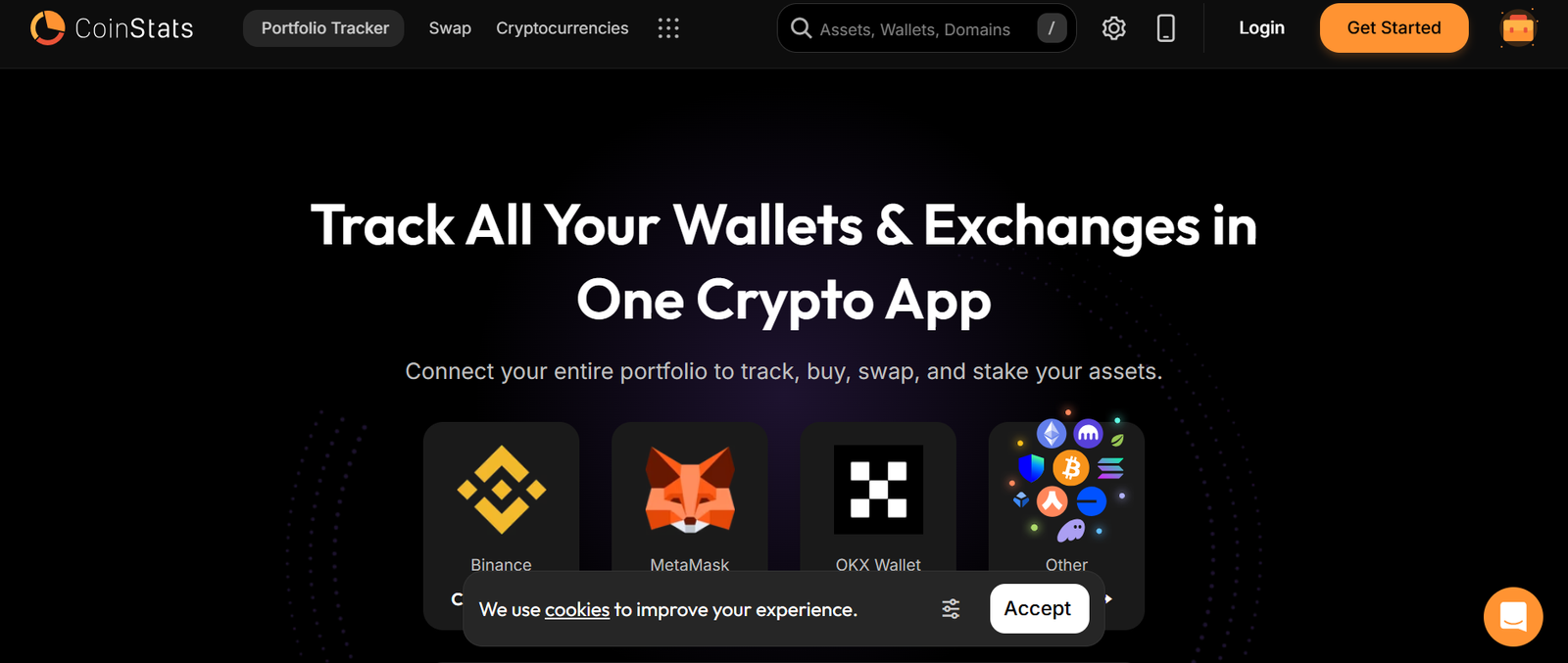
If you’ve spent any time searching for a serious crypto portfolio tracking tool in the UK, you’ve seen the name CoinStats come up again and again.In this CoinStats review, we’re looking at one of the most widely used crypto portfolio tracking tools on the market, trusted by over 1 million users globally. For UK investors juggling multiple exchanges, DeFi wallets and staking positions, CoinStats positions itself as the control centre for your entire digital asset portfolio.
What Is CoinStats?
CoinStats is a cloud-based crypto portfolio tracking tool that connects to over 300 exchanges and wallets. It pulls your transactions, balances and performance metrics into one clean dashboard.Instead of logging into Binance, Coinbase, Kraken and MetaMask separately, CoinStats aggregates everything in real time. That means:
- Unified portfolio dashboard
- Live profit and loss reporting
- Asset allocation breakdown
- DeFi and NFT tracking
- Built-in tax reporting integrations
If you’re comparing CoinStats vs CoinTracker or scanning CoinStats alternatives, the big difference is simplicity combined with depth. It works for casual investors and high-frequency traders alike.
Key Features
Multi-Exchange and Wallet Integration
CoinStats connects via API to major centralised exchanges and supports wallet tracking for on-chain assets. Once linked, it syncs trades, deposits, withdrawals and staking rewards automatically.
For UK crypto investors managing ISA-adjacent capital or diversified digital holdings, this removes manual CSV uploads and spreadsheet chaos. In most CoinStats reviews, this integration depth is the feature people mention first because it saves hours every month.
Real-Time Portfolio Analytics
The analytics dashboard gives you:
- Daily, weekly and monthly performance
- ROI by asset
- Historical balance tracking
- Asset allocation charts
This is not just price checking. It shows cost basis and realised versus unrealised gains, critical for anyone thinking about capital gains tax in the UK. Compared with many CoinStats alternatives, the reporting feels more granular without being overwhelming.
DeFi and NFT Tracking
DeFi is where many trackers fall short.CoinStats supports Ethereum, BNB Chain and other major networks, pulling in liquidity pool positions, yield farming balances and NFT valuations.If you’re deep into Web3, this is where CoinStats vs Delta becomes a real discussion point.
Price Alerts and Market Signals
You can set:
- Custom price alerts
- Percentage change alerts
- Volume alerts
This matters if you trade volatility or manage entry and exit points actively. A serious crypto portfolio tracking tool should not just show data. It should notify you when conditions change.
Tax Reporting Integration
CoinStats integrates with leading crypto tax platforms. Export transaction history in formats compatible with UK accounting standards.If you are reviewing CoinStats pricing, this tax-ready export feature often justifies the upgrade to a paid plan.
Pros and Cons
| Pros | Cons |
| 300+ integrations | Advanced plan needed for full features |
| Strong DeFi tracking | Occasional API sync delays |
| Mobile app highly rated | Tax tools require integration |
| Clean analytics dashboard | Free plan limited |
Pricing
CoinStats offers:
- Free plan with limited portfolios
- Pro plan billed monthly or annually
- Premium tiers with expanded tracking and alerts
Pricing varies depending on portfolio size and features required. When evaluating CoinStats pricing against CoinTracker or Kubera, most UK users find it competitive for the integration breadth offered.
Best For UK Investors Managing Multiple Exchanges
CoinStats is ideal for:
- Active traders on Binance and Coinbase
- DeFi participants using MetaMask
- NFT collectors wanting consolidated tracking
- Investors needing tax-ready export files
If you hold assets across centralised exchanges and on-chain wallets, this crypto portfolio tracking tool gives you one command centre.
Pro Tip: Use CoinStats asset allocation view monthly to rebalance your crypto exposure against Bitcoin dominance shifts. Many users overlook this simple but powerful strategy.
How to Use CoinStats for UK Crypto Tax Preparation
- Connect all exchange APIs.
- Import wallet addresses for DeFi holdings.
- Review transaction categorisation.
- Export CSV for your accountant.
This workflow turns CoinStats into more than just a crypto portfolio tracking dashboard. It becomes your audit trail.
CoinStats Alternatives
If CoinStats does not fit your workflow, common alternatives include:
- CoinTracker
- Delta
- Kubera
Each has its own strengths in tax automation, asset classes or design simplicity. We will break these down in the next sections.
Verdict
If you want a reliable, feature-rich crypto portfolio tracking tool in 2026 that handles exchanges, DeFi and tax exports in one place, CoinStats deserves serious consideration.
CoinTracker – Tax-Focused Crypto Portfolio Tracking for Serious Investors

When capital gains reporting becomes a headache, most UK investors start searching for a crypto portfolio tracking tool built specifically with tax compliance in mind.That’s where CoinTracker enters the picture.
In this CoinTracker review, we’re looking at a platform used by over 1 million users and partnered with major exchanges. If you’re comparing CoinTracker vs CoinStats or scanning CoinTracker alternatives, the key differentiator is clear: deep tax automation built directly into portfolio tracking.
If you want structured advice on selecting the right crypto portfolio tracking tool for UK reporting rules, book a call after this section.
What Is CoinTracker?
CoinTracker is a crypto portfolio tracking tool designed to:
- Sync exchange and wallet data
- Calculate cost basis
- Track capital gains and losses
- Generate tax-ready reports
It connects to 300 plus exchanges and wallets and automatically categorises transactions. For UK-based crypto investors dealing with HMRC reporting requirements, that automation can save days of manual reconciliation.
Unlike some lighter trackers, CoinTracker is built for investors who treat crypto as part of a broader wealth strategy.
Key Features
Automated Tax Calculations
This is the core of the CoinTracker review conversation.CoinTracker calculates:
- Capital gains using multiple accounting methods
- Income from staking and airdrops
- Loss harvesting opportunities
- Tax lot tracking
For UK investors subject to Capital Gains Tax allowances, this feature alone can justify CoinTracker pricing. It identifies unrealised losses you could crystallise before year-end.When comparing CoinTracker vs CoinStats, CoinTracker typically wins on tax depth.
Multi-Exchange API Sync
CoinTracker integrates with major exchanges including Coinbase, Kraken and Binance. Once connected via API, it imports trades, deposits and withdrawals automatically.
For active traders executing hundreds of transactions per month, manual entry is not an option. This crypto portfolio tracking tool eliminates spreadsheet reconciliation.Most CoinTracker alternatives require additional steps for full reconciliation.
Portfolio Performance Dashboard
Beyond tax, CoinTracker offers:
- Net worth tracking
- Asset allocation breakdown
- Historical performance charts
- Unrealised vs realised gains
This means you are not sacrificing portfolio visibility for tax functionality. The tool still functions as a full crypto portfolio tracking command centre.
DeFi and Wallet Tracking
CoinTracker supports wallet imports including MetaMask and other Ethereum-based addresses.
While DeFi tracking is solid, if you are heavily involved in complex yield farming positions, some users compare CoinTracker vs Zerion for deeper DeFi insights. For most UK investors, however, CoinTracker coverage is sufficient.
Audit-Ready Reporting
CoinTracker generates downloadable tax reports aligned with accounting standards. These can be shared directly with your accountant.In many CoinTracker reviews, this is the deciding factor. The documentation trail is structured and transparent, reducing audit anxiety.
Pros and Cons
| Pros | Cons |
| Strong tax automation | Higher pricing tiers |
| 300+ integrations | Advanced features cost extra |
| Capital gains visibility | DeFi coverage not deepest |
| Clean reporting exports | Free plan limited |
Pricing
CoinTracker pricing depends on the number of transactions:
- Free plan for limited transactions
- Paid tiers based on transaction volume
- Premium plans for high-frequency traders
If you execute many trades, costs scale accordingly. Compared with CoinTracker alternatives, pricing is aligned with tax-focused competitors such as TokenTax.When evaluating CoinTracker vs CoinStats, ask yourself what matters more: deep tax reporting or broader DeFi tracking.
Best For UK Investors Focused on Tax Compliance
CoinTracker is ideal for:
- High-volume traders needing capital gains clarity
- Investors planning tax-loss harvesting
- Crypto holders preparing annual HMRC filings
- Accountants managing client crypto portfolios
If your priority is staying compliant and reducing reporting friction, this crypto portfolio tracking tool earns serious attention.
Pro Tip: Before the UK tax year ends in April, use CoinTracker’s unrealised loss view to assess whether selling specific assets could reduce your taxable gain position.
How to Use CoinTracker for Capital Gains Planning
- Connect all exchange APIs early in the tax year.
- Import wallet addresses for DeFi assets.
- Review transaction categorisation monthly.
- Run capital gains summary before year-end.
- Export final reports for accountant submission.
This turns CoinTracker from a passive tracker into an active planning tool.
CoinTracker Alternatives
If CoinTracker does not align with your needs, alternatives include:
- CoinStats
- TokenTax
- Kubera
Each competitor approaches crypto portfolio tracking differently, especially regarding tax integration and asset coverage.
Verdict
If tax compliance is your primary concern and you want a crypto portfolio tracking tool that calculates capital gains with clarity, CoinTracker is a strong contender for UK investors in 2026.
Delta – Clean Portfolio Tracking for Multi-Asset Investors

If you hold crypto alongside shares and ETFs, a pure-play crypto tracker may not cut it.That’s where Delta stands out.In this Delta review, we’re looking at one of the most polished crypto portfolio tracking tools available in the UK.
Owned by eToro, Delta is widely used by retail investors who want to track crypto, stocks and other assets in one interface.If you are comparing Delta vs CoinStats or scanning Delta alternatives, the decision usually comes down to one thing: multi-asset tracking versus deep crypto-native analytics.
What Is Delta?
Delta is a mobile-first crypto portfolio tracking tool that allows you to:
- Connect exchanges via API
- Track wallet balances
- Monitor shares and ETFs
- View real-time profit and loss
It supports thousands of cryptocurrencies and integrates with major exchanges. For UK investors who treat crypto as part of a broader investment strategy, this flexibility is attractive.
Unlike tax-heavy platforms, Delta focuses heavily on portfolio performance and user experience.
Key Features
Multi-Asset Portfolio Tracking
Delta does not limit you to crypto.You can track:
- Bitcoin and altcoins
- UK and US equities
- ETFs
- Indices
This makes Delta appealing for investors who want one dashboard covering their entire net worth. In many Delta reviews, this cross-asset capability is the primary selling point.If you are deciding between Delta vs CoinTracker, the latter focuses more on tax, while Delta focuses on performance visibility.
Exchange API Integrations
Delta connects to major exchanges including Binance, Kraken and Coinbase.Once linked, trades and balances update automatically. This ensures your crypto portfolio tracking dashboard reflects your actual holdings without manual input.
Compared with some Delta alternatives, the integration process is straightforward and beginner friendly.
Advanced Analytics and Metrics
Delta provides:
- Time-weighted return metrics
- Asset allocation charts
- Portfolio performance benchmarking
- Real-time market data
For UK investors managing risk exposure, allocation clarity is critical. This crypto portfolio tracking tool gives you visibility across asset classes without overwhelming you with technical data.
Custom Alerts and Watchlists
You can set:
- Price alerts
- Percentage movement alerts
- Watchlists for emerging tokens
If you actively trade volatile assets, these alerts allow you to react quickly. While not as tax-focused as CoinTracker, Delta competes strongly with CoinStats on user interface and usability.
Premium Insights
Delta offers a Pro tier with:
- Advanced metrics
- Unlimited connections
- Enhanced historical data
When evaluating Delta pricing, consider whether you need deeper analytics or basic tracking functionality.
Pros and Cons
| Pros | Cons |
| Tracks crypto and stocks | Tax tools limited |
| Strong mobile app | Advanced features paid |
| Clean interface | DeFi tracking moderate |
| Real-time updates | No deep tax engine |
Delta Pricing
Delta offers:
- Free basic tracking
- Delta Pro subscription billed monthly or annually
Delta pricing is competitive for multi-asset investors but may not justify itself if you need advanced crypto tax reporting.When comparing Delta vs CoinStats, Delta often wins on user experience while CoinStats wins on deeper crypto-specific analytics.
Best For UK Investors Tracking Crypto and Shares Together
Delta is ideal for:
- Investors holding crypto and UK equities
- Users wanting one net worth dashboard
- Mobile-first investors
- Beginners needing clean performance metrics
If your priority is visual clarity and consolidated investment tracking, this crypto portfolio tracking tool is a strong option.
Pro Tip: Use Delta’s allocation breakdown quarterly to ensure your crypto exposure does not exceed your intended risk tolerance, particularly during bull cycles.
How to Use Delta for Portfolio Risk Monitoring
- Connect all exchange APIs.
- Manually add any unsupported assets.
- Review allocation percentages monthly.
- Adjust exposure based on risk appetite.
This turns Delta into a disciplined monitoring tool rather than a passive tracker.
Delta Alternatives
If Delta does not fit your workflow, consider:
- CoinStats
- CoinTracker
- Kubera
Each competitor focuses on different aspects of crypto portfolio tracking, from tax depth to full wealth visibility.
Verdict
If you want a clean, multi-asset crypto portfolio tracking tool that works well for UK investors holding both shares and digital assets, Delta deserves a close look.
Blockfolio – Mobile-First Crypto Portfolio Tracking for Active Traders
If you prefer checking your portfolio on your phone rather than logging into a desktop dashboard, Blockfolio is likely already on your radar.
Now rebranded under FTX ownership but still widely referred to as Blockfolio, this crypto portfolio tracking tool built its reputation as one of the most downloaded mobile apps in the crypto space.
In this Blockfolio review, we’ll break down what it does well, where it falls short, and how it compares in the Blockfolio vs Delta and Blockfolio vs CoinStats debate.If you want help choosing the right crypto portfolio tracking setup for your situation, book a call after reading this section.
What Is Blockfolio?
Blockfolio is a mobile-first crypto portfolio tracking tool designed for:
- Retail investors
- Active traders
- Altcoin watchers
- Price alert users
Unlike tax-heavy platforms, Blockfolio focuses on:
- Simple portfolio entry
- Live price tracking
- Market updates
- Token-specific news
For UK users who want a lightweight tracker without complex accounting features, it remains a popular choice.
Key Features
Simple Manual Portfolio Tracking
Blockfolio allows you to manually input:
- Buy transactions
- Sell transactions
- Transfer entries
This makes it accessible for beginners who are not ready to connect exchange APIs. In many Blockfolio reviews, users praise its simplicity.However, compared with CoinTracker or CoinStats, automation is more limited unless you use API connections where supported.
Real-Time Market Data
Blockfolio pulls live pricing across thousands of cryptocurrencies. You can:
- Track portfolio value in GBP
- Monitor 24-hour price changes
- View market cap and volume data
For UK traders reacting to volatility, immediate visibility matters. This crypto portfolio tracking tool delivers quick updates without complex dashboards.
Custom Price Alerts
One of Blockfolio’s most used features is its alert system.
You can set:
- Upper and lower price thresholds
- Percentage movement alerts
- Watchlists for emerging tokens
When comparing Blockfolio vs Delta, both offer alerts, but Blockfolio is often considered slightly more straightforward for mobile-first users.
Token News Feed
Blockfolio includes a built-in news stream for individual cryptocurrencies.Instead of switching between Twitter, Telegram and news sites, users can follow project announcements inside the app. While not as advanced as full analytics platforms, it provides contextual updates linked to your holdings.
Clean Mobile Interface
The user interface is simple, intuitive and focused on clarity.If you are evaluating Blockfolio alternatives because you find other platforms too complex, this is where Blockfolio stands out. It does not overwhelm users with charts or advanced metrics.
Pros and Cons
| Pros | Cons |
| Easy to use | Limited tax reporting |
| Strong mobile experience | DeFi tracking basic |
| Quick price alerts | Advanced analytics missing |
| Free to use | Manual entries required |
Pricing
Blockfolio is generally free to use.There are no major subscription tiers like CoinTracker pricing or Delta Pro. However, you trade off advanced analytics and tax tools for simplicity.
When comparing Blockfolio vs CoinStats, CoinStats provides deeper portfolio metrics and integrations, while Blockfolio prioritises ease of use.
Best For UK Retail Investors Who Want Simplicity
Blockfolio is ideal for:
- Casual crypto investors
- Beginners tracking a small portfolio
- Users who trade occasionally
- Mobile-first investors
If your portfolio is modest and you mainly want to monitor price changes rather than generate tax reports, this crypto portfolio tracking tool may be enough.
Pro Tip: Use Blockfolio strictly as a price alert tool while relying on a more advanced tracker like CoinTracker for tax documentation. Many UK investors use a dual-tool approach.
How to Use Blockfolio for Quick Market Monitoring
- Add all token positions manually.
- Set price alerts for key entry and exit levels.
- Monitor 24-hour performance daily.
- Review overall allocation weekly.
This keeps you disciplined without overcomplicating your setup.
Blockfolio Alternatives
If Blockfolio does not meet your needs, consider:
- Delta
- CoinStats
- CoinTracker
Each alternative offers deeper reporting, tax integration or broader asset coverage.
Verdict
If you want a no-frills crypto portfolio tracking tool for quick checks and price alerts on your mobile, Blockfolio remains a solid choice for UK retail investors in 2026.
Kubera – High-Net-Worth Portfolio Tracking Beyond Just Crypto
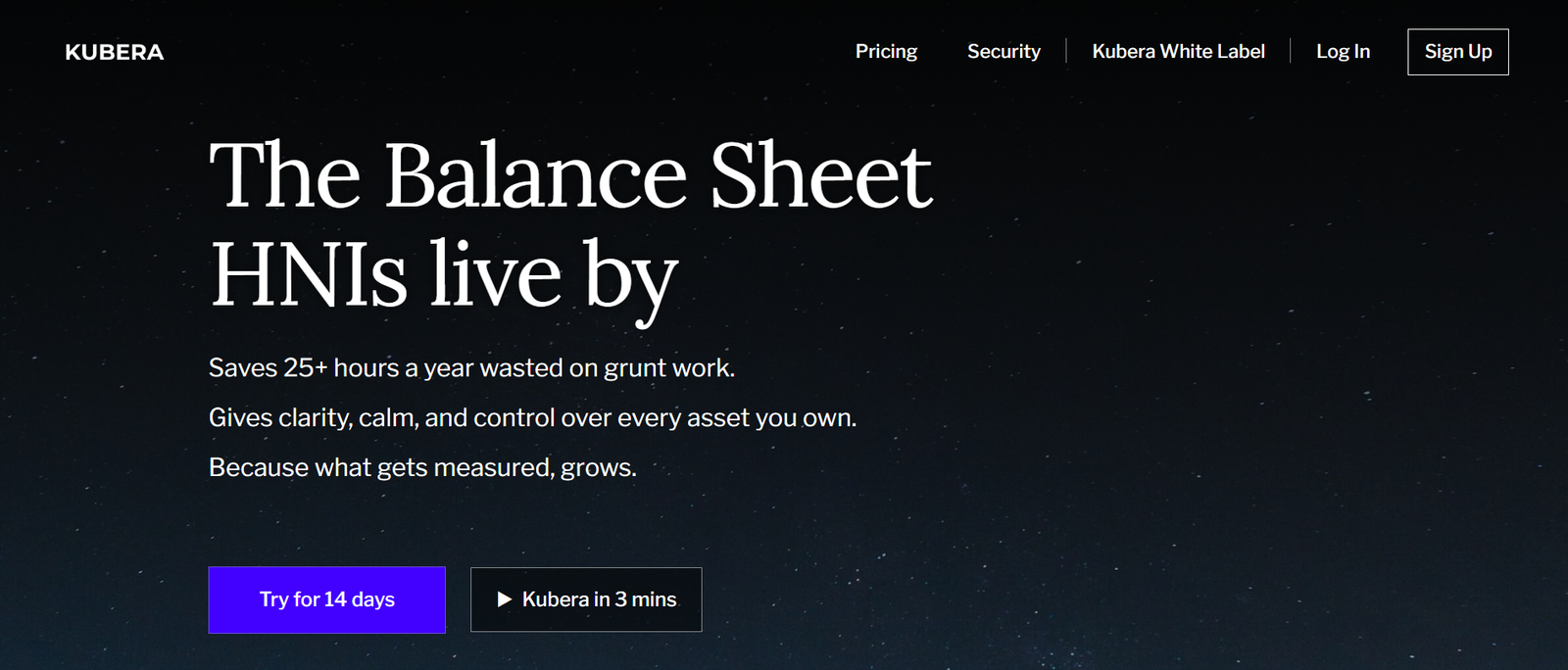
If you are not just holding Bitcoin but managing property, shares, private equity and digital assets together, a standard crypto portfolio tracking tool may feel limiting.That is where Kubera stands apart.
In this Kubera review, we look at a platform designed for serious investors who want full net worth visibility, not just token balances. When comparing Kubera vs CoinStats or scanning Kubera alternatives, the difference is clear. Kubera is about total wealth tracking with crypto as one component.
If you want structured advice on building a serious crypto portfolio tracking system around your broader investment strategy, book a call after this section.
What Is Kubera?
Kubera is a portfolio tracking platform that supports:
- Cryptocurrencies
- Stocks and ETFs
- Property
- Bank accounts
- Private investments
- Domain names and other digital assets
Unlike basic crypto portfolio tracking apps, Kubera aggregates everything into one net worth dashboard.For UK investors with diversified holdings, this unified view is valuable when assessing overall risk exposure and asset allocation.
Key Features
Full Net Worth Tracking
Kubera allows you to link:
- Crypto exchanges
- Wallet addresses
- Brokerage accounts
- Bank accounts
Instead of viewing crypto in isolation, you see how digital assets fit within your overall wealth position.In many Kubera reviews, this total net worth overview is the standout feature. Compared with CoinTracker, which focuses heavily on tax, Kubera emphasises holistic portfolio visibility.
Automatic Crypto Sync
Kubera integrates with major exchanges and allows wallet address tracking.Balances update automatically, and assets are converted into your chosen base currency, including GBP. For UK investors managing exposure to volatile markets, accurate conversion matters.
When reviewing Kubera vs Delta, Kubera tends to appeal more to high-net-worth users rather than casual retail investors.
Asset Allocation Breakdown
Kubera provides allocation charts across:
- Crypto
- Equities
- Cash
- Property
- Alternatives
This allows you to evaluate how much of your total wealth is tied to digital assets. A crypto portfolio tracking tool that ignores broader asset context can distort risk perception. Kubera avoids that problem.
Dead Man’s Switch Security Feature
One feature that receives attention in Kubera reviews is the “dead man’s switch.”
If you become inactive for a specified period, a trusted contact receives instructions on accessing key financial information. For serious investors with significant digital holdings, estate planning matters.
Clean, Professional Interface
Kubera is not flashy. It is designed for clarity and structured financial oversight.If you find apps like Blockfolio too basic and CoinStats too crypto-centric, Kubera occupies a middle ground for disciplined wealth monitoring.
Pros and Cons
| Pros | Cons |
| Tracks all asset classes | No deep crypto tax engine |
| Clean net worth dashboard | Subscription required |
| Estate planning feature | Less focus on trading alerts |
| Supports GBP reporting | Not ideal for day traders |
Pricing
Kubera operates on a paid subscription model.There is no permanently free tier comparable to Blockfolio. Pricing reflects its positioning toward higher-net-worth investors rather than casual traders.
When comparing Kubera pricing to CoinTracker pricing, Kubera charges for wealth tracking access, while CoinTracker scales pricing based on transaction volume.
Best For UK Investors Managing Multi-Asset Wealth
Kubera is ideal for:
- High-net-worth crypto holders
- Investors with property and equities
- Family offices monitoring digital assets
- Individuals planning estate continuity
If crypto is just one part of your financial picture, this crypto portfolio tracking tool provides context many others lack.
Pro Tip: Use Kubera’s allocation overview quarterly to assess whether crypto volatility is skewing your overall asset mix beyond your intended target range.
How to Use Kubera for Long-Term Crypto Oversight
- Connect all exchanges and wallet addresses.
- Link brokerage and bank accounts.
- Categorise alternative investments manually.
- Review allocation and net worth monthly.
Kubera Alternatives
If Kubera does not align with your priorities, consider:
- CoinStats
- CoinTracker
- Delta
Each platform approaches crypto portfolio tracking from a different angle, whether tax depth, mobile simplicity or multi-asset visibility.
Verdict
If you want a crypto portfolio tracking tool that integrates digital assets into your full wealth picture rather than isolating them, Kubera is a strong option for UK investors in 2026.
CoinGecko Portfolio – Simple, No-Frills Crypto Portfolio Tracking
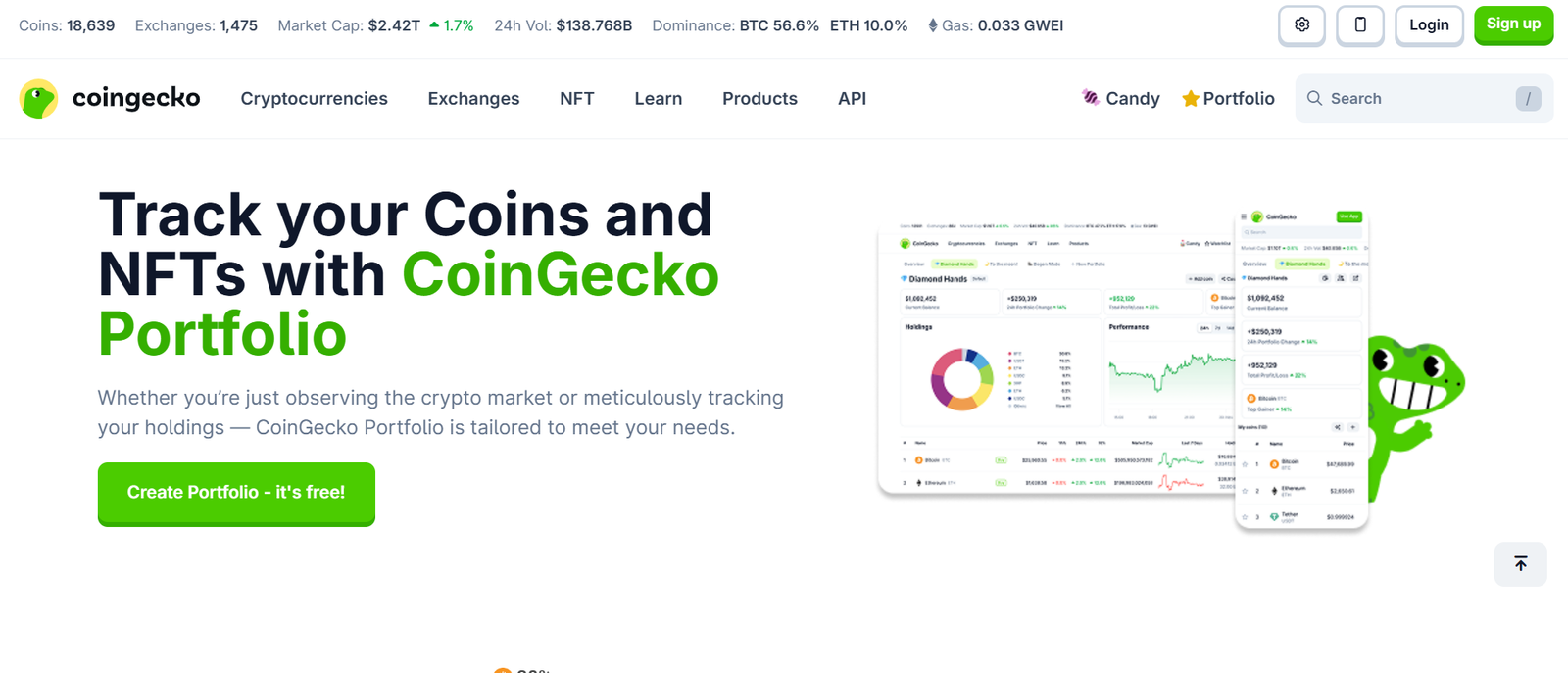
If you already check token prices on CoinGecko, you’ve likely seen their built-in portfolio feature.In this CoinGecko Portfolio review, we examine whether this free tool can function as your primary crypto portfolio tracking tool or whether it works better as a secondary monitor alongside platforms like CoinTracker or CoinStats.
If you want help designing a structured crypto portfolio tracking system for UK tax and performance visibility, book a call after this section.
What Is CoinGecko Portfolio?
CoinGecko Portfolio is a browser-based crypto portfolio tracking tool that allows users to manually enter trades and monitor overall portfolio value using live market pricing.
It does not connect via exchange API. It does not automate tax calculations. Instead, it focuses on simplicity, accessibility and market visibility.
For UK investors with a small number of trades, this can be enough.
Key Features
Manual Transaction Tracking
You manually input buy and sell transactions including:
- Purchase price
- Quantity
- Date
The system then calculates portfolio value and profit or loss based on live pricing. For long-term holders with low trading frequency, this avoids the complexity of API connections.However, high-volume traders may find the workload restrictive compared with CoinTracker or CoinStats.
Integrated Live Market Data
Because it is part of CoinGecko’s pricing infrastructure, you gain direct access to:
- Live token prices
- Market cap rankings
- Historical price charts
- Volume data
This integration ensures your crypto portfolio tracking tool is directly linked to one of the most recognised pricing databases in the market.
Multi-Portfolio Creation
You can create separate portfolios inside your account.
This is useful if you want to separate:
- Long-term holdings
- High-risk altcoin trades
- Experimental DeFi allocations
Few free crypto portfolio tracking tools offer clean multi-portfolio segmentation.
GBP Valuation Support
UK investors can track total portfolio value in GBP.This reduces mental currency conversion and gives clearer capital visibility when reviewing gains and losses.
Completely Free Access
There are no paid tiers or hidden upgrades.If you are testing crypto portfolio tracking tools before committing to paid software, CoinGecko Portfolio is an accessible starting point.
Pros and Cons
| Pros | Cons |
| Free to use | No API sync |
| Trusted market data | No tax reporting |
| Multi-portfolio support | Manual input required |
| GBP valuation | Limited analytics depth |
Pricing
Free.There are no subscription tiers for the portfolio feature. If you require automated capital gains tracking, you will need a paid crypto portfolio tracking tool.
Best For UK Investors with Low Transaction Volume
CoinGecko Portfolio is ideal for:
- Long-term Bitcoin holders
- Casual investors making occasional trades
- Beginners avoiding API permissions
- Users wanting a free backup tracker
If your portfolio complexity is minimal, this crypto portfolio tracking tool may be enough.
Pro Tip: Use CoinGecko Portfolio as a secondary verification dashboard even if you rely on CoinTracker for tax reporting. Cross-checking balances monthly can identify sync discrepancies.
How to Use CoinGecko Portfolio Effectively
- Record each trade immediately after execution.
- Separate long-term and short-term portfolios.
- Review allocation monthly.
- Export screenshots before tax season for reference.
This maintains organisation even without automation.
CoinGecko Portfolio Alternatives
If you need automation or tax functionality, consider:
- CoinTracker
- CoinStats
- Delta
Each provides deeper integration and reporting features compared with manual tracking.
Verdict
If you want a free, browser-based crypto portfolio tracking tool for simple monitoring in the UK, CoinGecko Portfolio does the job. But once transaction volume increases, you will likely outgrow it.
CoinMarketCap Portfolio – Free Browser-Based Crypto Portfolio Tracking with Global Market Reach
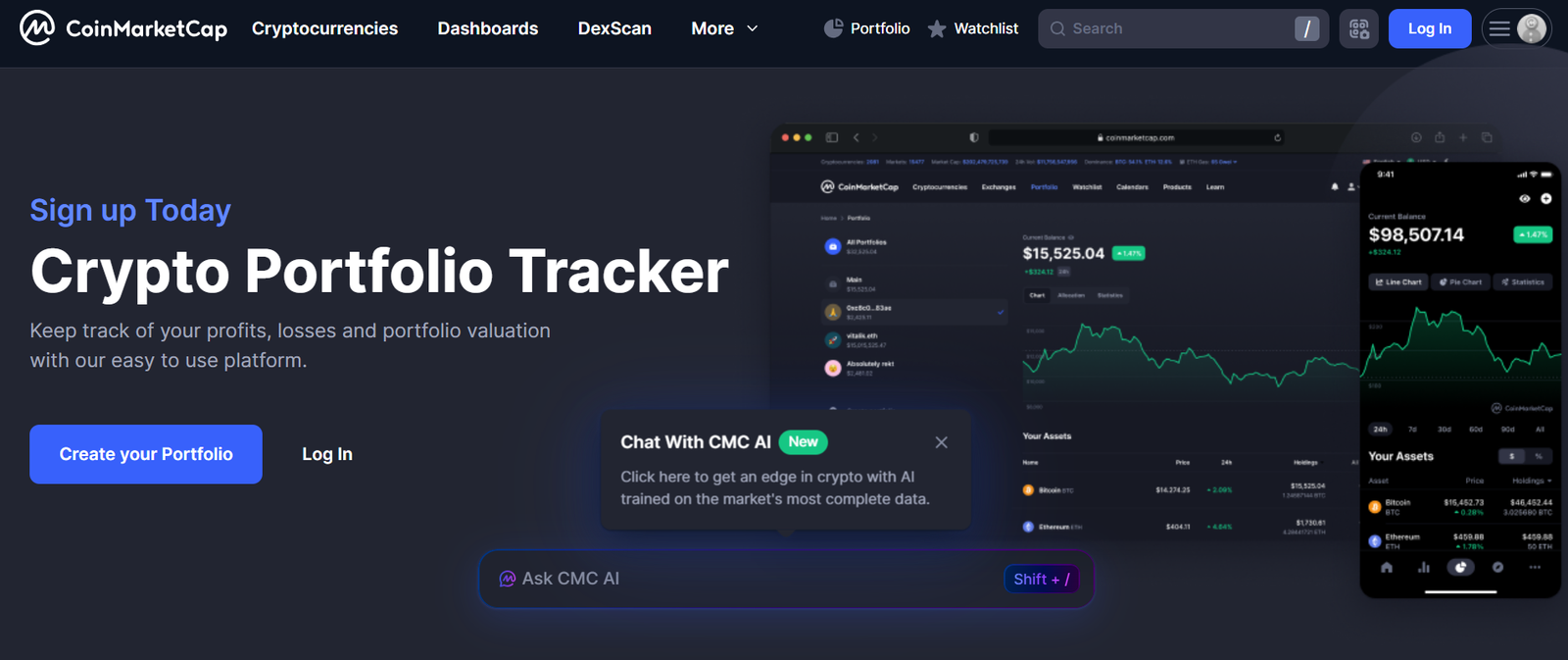
If you already rely on CoinMarketCap for price checks, rankings and token research, its built-in portfolio feature may look appealing.
In this CoinMarketCap Portfolio review, we examine whether this free feature works as a primary crypto portfolio tracking tool or simply as a lightweight companion alongside platforms like CoinTracker or CoinStats.
If you want help structuring a serious crypto portfolio tracking framework in the UK, book a call after this section.
What Is CoinMarketCap Portfolio?
CoinMarketCap Portfolio is a web-based crypto portfolio tracking tool that allows manual trade entry and live valuation tracking.It does not offer automatic API syncing or built-in tax calculations. Instead, it provides:
- Manual transaction logging
- Real-time portfolio valuation
- Market cap context
- Token performance comparison
For UK investors with low transaction volume, this can serve as a simple monitoring solution.
Key Features
Manual Trade Logging
You input buy and sell transactions including quantity, purchase price and date.The system calculates profit and loss based on live market pricing. This works well for long-term holders but becomes time-consuming for frequent traders.
Compared with CoinTracker, automation is limited.
Live Market Rankings Integration
One advantage over many basic trackers is immediate access to:
- Global market cap rankings
- 24-hour volume data
- Historical price charts
- Circulating supply metrics
This provides context beyond just your holdings. You can assess how your portfolio aligns with broader market trends.
Watchlist and Alerts
CoinMarketCap allows users to create watchlists separate from active holdings.This is useful for tracking tokens before entry. However, alert functionality is less advanced compared with Delta or CoinStats.
Multi-Device Access
Because it is cloud-based, you can access your crypto portfolio tracking dashboard from any device.No installation required.
Pros and Cons
| Pros | Cons |
| Free to use | No API integration |
| Strong market data | No tax reporting |
| Easy access | Manual workload |
| GBP valuation available | Limited analytics |
Pricing
Free.There are no premium upgrades for the portfolio tool itself.
Best For UK Investors Monitoring Long-Term Holdings
CoinMarketCap Portfolio is ideal for:
- Passive crypto holders
- Low-frequency traders
- Beginners avoiding API connections
- Investors needing simple valuation tracking
If you are comparing CoinMarketCap vs CoinGecko for crypto portfolio tracking, functionality is similar. Neither replaces tax-focused platforms.
Pro Tip: Use CoinMarketCap for macro market positioning analysis while relying on a dedicated crypto portfolio tracking tool for tax reporting.
How to Use CoinMarketCap Portfolio Efficiently
- Log transactions immediately after execution.
- Separate speculative holdings from core assets.
- Review allocation monthly.
- Cross-check balances with exchange accounts quarterly.
This reduces reporting errors.
CoinMarketCap Alternatives
If you require automation or tax depth, consider:
- CoinTracker
- CoinStats
- Delta
Each provides greater integration and reporting functionality.
Verdict
If you want a free, browser-based crypto portfolio tracking tool for simple oversight in the UK, CoinMarketCap Portfolio performs well. For complex portfolios, you will need more advanced software.
Accounting – Tax-Integrated Crypto Portfolio Tracking
If capital gains tracking keeps you up at night, Accounting positions itself as both a crypto portfolio tracking tool and tax compliance engine.In this Accounting review, we assess how it compares with CoinTracker and other tax-first platforms used by UK investors.
What Is Accounting?
Accounting is a crypto portfolio tracking tool that:
- Syncs exchanges and wallets
- Calculates capital gains
- Identifies taxable events
- Generates downloadable tax reports
It focuses on simplifying reporting requirements while maintaining portfolio performance visibility.
Key Features
Automated Capital Gains Calculation
Accounting calculates realised and unrealised gains automatically using imported transaction history.For UK investors preparing Capital Gains Tax submissions, this reduces manual reconciliation significantly.When comparing Accounting vs CoinTracker, both compete strongly in tax automation depth.
Exchange and Wallet Sync
The platform integrates with major exchanges via API and supports wallet tracking.Once connected, trades, staking income and transfers populate your dashboard automatically.This makes it a functional crypto portfolio tracking tool, not just a tax calculator.
Tax-Loss Harvesting Insights
Accounting highlights unrealised losses that may offset gains.Reviewing this before the UK tax year ends in April can influence selling decisions strategically.
Performance Dashboard
Alongside tax reporting, you receive:
- Portfolio valuation charts
- Allocation breakdown
- ROI metrics
This ensures visibility beyond compliance.
Downloadable Tax Reports
Reports can be exported for accountant review.Documentation is structured to align with regulatory requirements.
Pros and Cons
| Pros | Cons |
| Strong tax automation | Paid plans required |
| Exchange integration | DeFi depth moderate |
| Capital gains tracking | Advanced tiers expensive |
| UK reporting suitable | Interface less polished |
Pricing
Free tier with limitations.Paid plans scale based on transaction volume, similar to CoinTracker pricing.
Best For UK Investors Focused on Tax Reporting
Accounting is ideal for:
- Medium to high transaction traders
- Investors preparing annual tax filings
- Users comparing Accounting vs CoinTracker
- Accountants managing crypto clients
Pro Tip: Run quarterly gain summaries instead of waiting until year-end. This prevents unexpected tax exposure.
How to Use Accounting for Annual Tax Preparation
- Connect exchanges early in the tax year.
- Import all wallet addresses.
- Review transaction categorisation monthly.
- Download reports before the filing deadline.
This ensures audit readiness.
Accounting Alternatives
- CoinTracker
- TokenTax
- CoinStats
Verdict
If tax compliance is your priority and you want portfolio visibility alongside it, Accounting is a strong crypto portfolio tracking tool for UK investors.
Shrimpy – Automated Rebalancing Meets Crypto Portfolio Tracking

If you believe disciplined allocation beats emotional trading, Shrimpy may fit your strategy.In this Shrimpy review, we examine how automation differentiates it from passive crypto portfolio tracking tools.
What Is Shrimpy?
Shrimpy is a crypto portfolio tracking tool combined with automated rebalancing software.It connects to exchanges and allows users to set allocation targets and rebalance at predefined intervals.
Key Features
Automated Portfolio Rebalancing
Set target percentages for assets and rebalance weekly or monthly.This reduces emotional trading decisions during volatile cycles.
Exchange API Integration
Shrimpy connects to major exchanges for automated trade execution.Unlike manual trackers, it can execute rebalancing trades automatically.
Strategy Backtesting
Users can test allocation strategies using historical data.This appeals to systematic investors comparing Shrimpy vs CoinStats.
Social Strategy Copying
Follow strategies created by other users.Useful for beginners observing allocation models.
Performance Tracking Dashboard
Track ROI and allocation changes over time.This keeps the crypto portfolio tracking element central.
Pros and Cons
| Pros | Cons |
| Automated rebalancing | Subscription required |
| Strategy backtesting | Limited tax engine |
| Exchange integration | DeFi limited |
| ROI visibility | Learning curve |
Pricing
Free limited tier.Paid subscriptions unlock automation and advanced strategy features.
Best For UK Investors Using Allocation Models
Shrimpy is ideal for:
- Long-term allocation investors
- Users avoiding emotional trades
- Portfolio rebalancing advocates
- Traders comparing Shrimpy vs CoinStats
Pro Tip: Quarterly rebalancing often balances transaction fees with allocation discipline.
How to Use Shrimpy Strategically
- Define asset allocation targets.
- Set rebalancing frequency.
- Monitor ROI monthly.
- Adjust allocation annually.
Shrimpy Alternatives
- CoinStats
- Delta
- CoinTracker
Verdict
If systematic allocation matters more than manual monitoring, Shrimpy offers automation alongside crypto portfolio tracking functionality.
Zapper – DeFi-Centric Crypto Portfolio Tracking for On-Chain Investors

If your assets sit inside liquidity pools, staking contracts and NFTs rather than centralised exchanges, Zapper deserves attention.
What Is Zapper?
Zapper is a wallet-based crypto portfolio tracking tool designed specifically for DeFi participants.It aggregates on-chain data by reading wallet addresses across supported networks.
Key Features
Wallet Address Aggregation
Enter your wallet address and instantly view token balances and DeFi positions.No API keys required.
Liquidity Pool Visibility
Displays LP tokens and farming positions across supported protocols.This is critical for yield farmers.
NFT Tracking
Shows NFT holdings linked to your wallet.Useful for collectors active in Web3 ecosystems.
Transaction History
On-chain transaction records visible within the interface.Provides transparency without centralised reporting.
Free Web Access
Accessible without subscription for core features.
Pros and Cons
| Pros | Cons |
| Strong DeFi tracking | No exchange sync |
| NFT visibility | Limited tax tools |
| Wallet-based access | Not multi-asset |
| Free core use | Advanced features limited |
Pricing
Core features are free.Premium functionality may require paid access.
Best For UK DeFi Investors
Zapper is ideal for:
- Liquidity providers
- Yield farmers
- NFT collectors
- Users comparing Zapper vs Zerion
Pro Tip: Pair Zapper with a tax-focused crypto portfolio tracking tool to properly document staking and farming income.
Zapper Alternatives
- Zerion
- CoinTracker
- CoinStats
Verdict
If your crypto activity is primarily on-chain rather than exchange-based, Zapper provides focused DeFi portfolio visibility for UK investors.
CoinMarketCap Portfolio – Free Browser-Based Crypto Portfolio Tracking
If you already rely on CoinMarketCap for price checks, rankings and token research, its built-in portfolio feature may look appealing.
In this CoinMarketCap Portfolio review, we examine whether this free feature works as a primary crypto portfolio tracking tool or simply as a lightweight companion alongside platforms like CoinTracker or CoinStats.
If you want help structuring a serious crypto portfolio tracking framework in the UK, book a call after this section.
What Is CoinMarketCap Portfolio?
CoinMarketCap Portfolio is a web-based crypto portfolio tracking tool that allows manual trade entry and live valuation tracking.It does not offer automatic API syncing or built-in tax calculations. Instead, it provides:
- Manual transaction logging
- Real-time portfolio valuation
- Market cap context
- Token performance comparison
For UK investors with low transaction volume, this can serve as a simple monitoring solution.
Key Features
Manual Trade Logging
You input buy and sell transactions including quantity, purchase price and date.The system calculates profit and loss based on live market pricing. This works well for long-term holders but becomes time-consuming for frequent traders.Compared with CoinTracker, automation is limited.
Live Market Rankings Integration
One advantage over many basic trackers is immediate access to:
- Global market cap rankings
- 24-hour volume data
- Historical price charts
- Circulating supply metrics
This provides context beyond just your holdings. You can assess how your portfolio aligns with broader market trends.
Watchlist and Alerts
CoinMarketCap allows users to create watchlists separate from active holdings.This is useful for tracking tokens before entry. However, alert functionality is less advanced compared with Delta or CoinStats.
Multi-Device Access
Because it is cloud-based, you can access your crypto portfolio tracking dashboard from any device.No installation required.
Free Usage
There are no paid subscription tiers for the portfolio feature.If you are testing crypto portfolio tracking tools before committing to paid plans, this offers a no-cost starting point.
Pros and Cons
| Pros | Cons |
| Free to use | No API integration |
| Strong market data | No tax reporting |
| Easy access | Manual workload |
| GBP valuation available | Limited analytics |
Pricing
Free.There are no premium upgrades for the portfolio tool itself.
Best For UK Investors Monitoring Long-Term Holdings
CoinMarketCap Portfolio is ideal for:
- Passive crypto holders
- Low-frequency traders
- Beginners avoiding API connections
- Investors needing simple valuation tracking
If you are comparing CoinMarketCap vs CoinGecko for crypto portfolio tracking, functionality is similar. Neither replaces tax-focused platforms.
Pro Tip: Use CoinMarketCap for macro market positioning analysis while relying on a dedicated crypto portfolio tracking tool for tax reporting.
How to Use CoinMarketCap Portfolio Efficiently
- Log transactions immediately after execution.
- Separate speculative holdings from core assets.
- Review allocation monthly.
- Cross-check balances with exchange accounts quarterly.
This reduces reporting errors.
CoinMarketCap Alternatives
If you require automation or tax depth, consider:
- CoinTracker
- CoinStats
- Delta
Each provides greater integration and reporting functionality.
Verdict
If you want a free, browser-based crypto portfolio tracking tool for simple oversight in the UK, CoinMarketCap Portfolio performs well. For complex portfolios, you will need more advanced software.
CoinGecko Portfolio – Simple, No-Frills Crypto Portfolio Tracking Backed by Market Authority
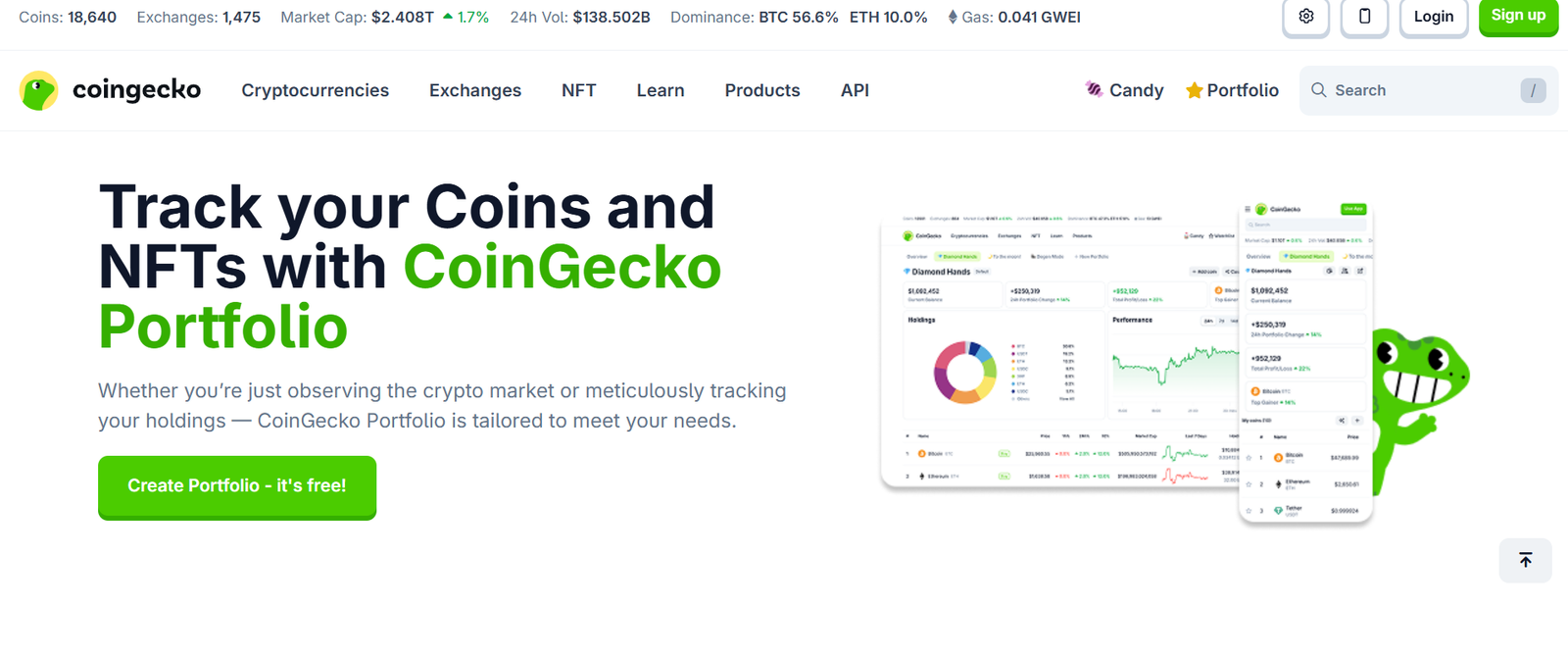
If you already check token prices on CoinGecko, you’ve likely seen their built-in portfolio feature.
In this CoinGecko Portfolio review, we examine whether this free tool can function as your primary crypto portfolio tracking tool or whether it works better as a secondary monitor alongside platforms like CoinTracker or CoinStats.
If you want help designing a structured crypto portfolio tracking system for UK tax and performance visibility, book a call after this section.
What Is CoinGecko Portfolio?
CoinGecko Portfolio is a browser-based crypto portfolio tracking tool that allows users to manually enter trades and monitor overall portfolio value using live market pricing.
It does not connect via exchange API. It does not automate tax calculations. Instead, it focuses on simplicity, accessibility and market visibility.For UK investors with a small number of trades, this can be enough.
Key Features
Manual Transaction Tracking
You manually input buy and sell transactions including
- Purchase price
- Quantity
- Date
The system then calculates portfolio value and profit or loss based on live pricing. For long-term holders with low trading frequency, this avoids the complexity of API connections.
However, high-volume traders may find the workload restrictive compared with CoinTracker or CoinStats.
Integrated Live Market Data
Because it is part of CoinGecko’s pricing infrastructure, you gain direct access to:
- Live token prices
- Market cap rankings
- Historical price charts
- Volume data
This integration ensures your crypto portfolio tracking tool is directly linked to one of the most recognised pricing databases in the market.
Multi-Portfolio Creation
You can create separate portfolios inside your account.This is useful if you want to separate:
- Long-term holdings
- High-risk altcoin trades
- Experimental DeFi allocations
Few free crypto portfolio tracking tools offer clean multi-portfolio segmentation.
GBP Valuation Support
UK investors can track total portfolio value in GBP.This reduces mental currency conversion and gives clearer capital visibility when reviewing gains and losses.
Completely Free Access
There are no paid tiers or hidden upgrades.If you are testing crypto portfolio tracking tools before committing to paid software, CoinGecko Portfolio is an accessible starting point.
Pros and Cons
| Pros | Cons |
| Free to use | No API sync |
| Trusted market data | No tax reporting |
| Multi-portfolio support | Manual input required |
| GBP valuation | Limited analytics depth |
Pricing
Free.There are no subscription tiers for the portfolio feature. If you require automated capital gains tracking, you will need a paid crypto portfolio tracking tool.
Best For UK Investors with Low Transaction Volume
CoinGecko Portfolio is ideal for:
- Long-term Bitcoin holders
- Casual investors making occasional trades
- Beginners avoiding API permissions
- Users wanting a free backup tracker
If your portfolio complexity is minimal, this crypto portfolio tracking tool may be enough.
Pro Tip: Use CoinGecko Portfolio as a secondary verification dashboard even if you rely on CoinTracker for tax reporting. Cross-checking balances monthly can identify sync discrepancies.
How to Use CoinGecko Portfolio Effectively
- Record each trade immediately after execution.
- Separate long-term and short-term portfolios.
- Review allocation monthly.
- Export screenshots before tax season for reference.
This maintains organisation even without automation.
CoinGecko Portfolio Alternatives
If you need automation or tax functionality, consider:
- CoinTracker
- CoinStats
- Delta
Each provides deeper integration and reporting features compared with manual tracking.
Verdict
If you want a free, browser-based crypto portfolio tracking tool for simple monitoring in the UK, CoinGecko Portfolio does the job. But once transaction volume increases, you will likely outgrow it.
CoinStats Business – Team-Based Crypto Portfolio Tracking for Funds and Firms
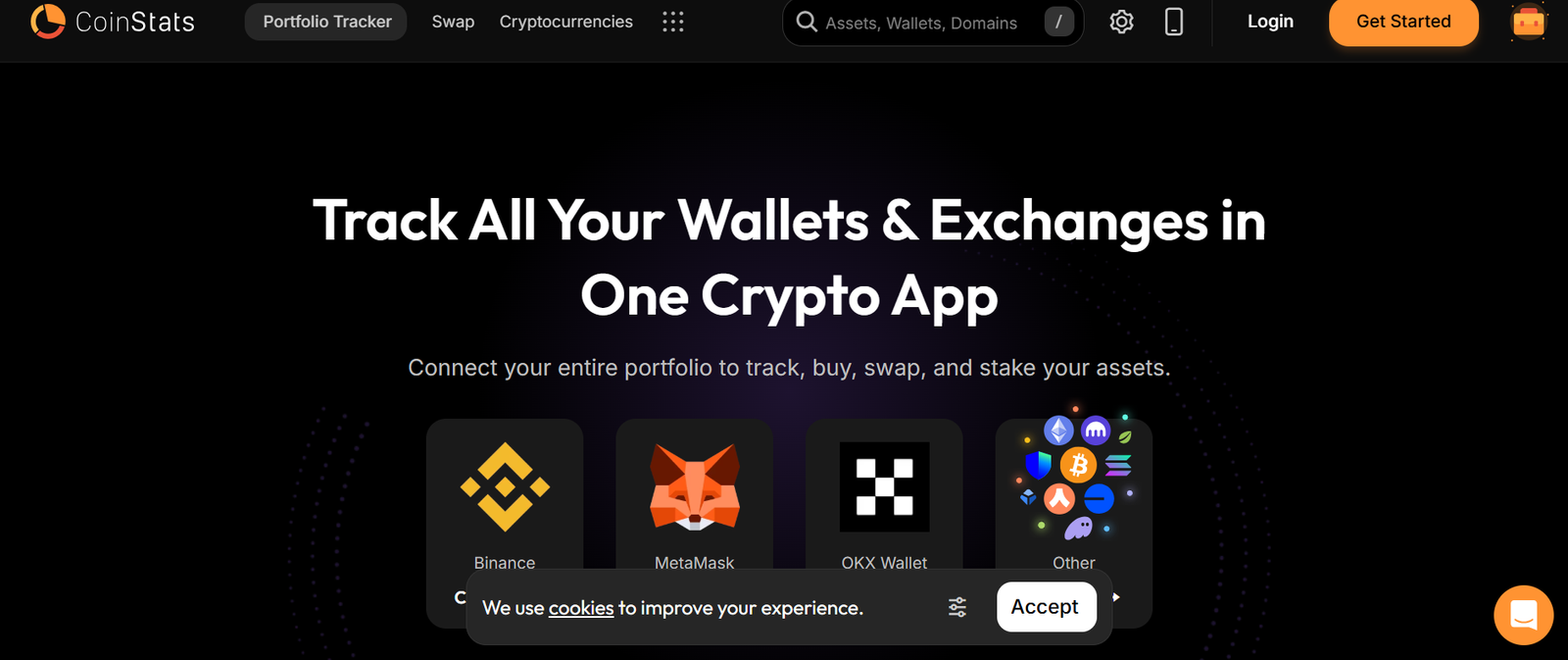
For crypto funds, advisory firms and treasury managers, CoinStats Business offers multi-user infrastructure.In this CoinStats Business review, we assess how it supports institutional-style crypto portfolio tracking.
What Is CoinStats Business?
CoinStats Business is a team-oriented tier of CoinStats providing:
- Multi-user access
- Permission controls
- Aggregated reporting
- Large portfolio support
It moves beyond individual retail tracking into operational management.
Key Features
Multi-User Access Controls
Team members can access dashboards with role-based permissions.This is essential for firms managing pooled capital.
Aggregated Portfolio Reporting
View multiple sub-portfolios under one entity.Useful for funds managing diversified crypto strategies.
Advanced Analytics Dashboard
Expanded reporting supports performance benchmarking.
API Integration at Scale
Supports large transaction volumes across multiple exchanges.
Secure Infrastructure
Enhanced security for institutional usage.
Pros and Cons
| Pros | Cons |
| Team access | Higher pricing |
| Institutional reporting | Overkill for individuals |
| Multi-portfolio support | Limited traditional asset tracking |
| Secure infrastructure | Subscription required |
Pricing
Enterprise-level pricing based on requirements.
Best For UK Crypto Funds and Advisory Firms
Ideal for:
- Small crypto funds
- Treasury departments
- Advisory practices
- Multi-client portfolio managers
Pro Tip: Use sub-portfolios to segment strategies such as staking, spot and yield farming.
CoinStats Business Alternatives
- Kubera
- CoinTracker
- Delta
Verdict
If you manage crypto capital at scale, CoinStats Business provides structured crypto portfolio tracking infrastructure.
CoinX Portfolio – Budget-Focused Crypto Portfolio Tracking
CoinX positions itself as a simplified crypto portfolio tracking tool for retail users.
What Is CoinX Portfolio?
CoinX Portfolio allows:
- Manual trade tracking
- Live price updates
- Basic performance visibility
It is designed for casual monitoring rather than complex tax reporting.
Key Features
Manual Transaction Logging
Users input trades directly.
Live Price Feeds
Real-time market data integration.
Basic Allocation Charts
Simple asset distribution overview.
Mobile Accessibility
App-based tracking.
Free Core Access
Low barrier to entry.
Pros and Cons
| Pros | Cons |
| Easy to use | No tax engine |
| Free | Limited analytics |
| Mobile access | No API sync |
| Basic allocation view | Not multi-asset |
Pricing
Free with optional upgrades.
Best For UK Beginners
Ideal for:
- New investors
- Small portfolios
- Casual traders
Pro Tip: Upgrade to a tax-focused crypto portfolio tracking tool once transactions increase.
Altpocket – Social Crypto Portfolio Tracking with Community Insights

Altpocket blends tracking with social interaction.
What Is Altpocket?
Altpocket allows users to:
- Track portfolios
- Share performance publicly
- Follow other traders
It combines portfolio monitoring with community engagement.
Key Features
Social Portfolio Sharing
Compare performance with other users.
Trade Transparency
Public visibility increases accountability.
Manual and API Tracking
Supports exchange integration.
Community Discussion
Market discussion embedded in platform.
Performance Analytics
Track ROI over time.
Pros and Cons
| Pros | Cons |
| Social interaction | Privacy concerns |
| Performance tracking | Limited tax depth |
| Exchange support | Not multi-asset |
| Community insights | Advanced analytics limited |
Pricing
Free with premium options.
Best For UK Investors Interested in Social Trading
Ideal for:
- Community-focused traders
- Users analysing peer strategies
- Beginners learning allocation models
Pro Tip: Observe high-performing portfolios but maintain independent allocation discipline.
CoinLedger Advanced – Scalable Crypto Portfolio Tracking for Complex Portfolios
Building on earlier coverage, CoinLedger Advanced tiers handle larger portfolios.
What Is CoinLedger Advanced?
Expanded version offering:
- Higher transaction limits
- Advanced tax methods
- Expanded integrations
Key Features
High Transaction Capacity
Suitable for frequent traders.
Detailed Tax Reporting
Capital gains breakdown by asset.
Exchange and Wallet Sync
Automated import.
Performance Dashboard
Integrated tracking.
Accountant Export Tools
Downloadable compliance files.
Pros and Cons
| Pros | Cons |
| Scalable | Subscription required |
| Detailed reports | Limited DeFi |
| Exchange sync | Not multi-asset |
| Tax depth | Cost increases with volume |
Best For UK Active Traders
Ideal for:
- High-volume traders
- Detailed tax filers
- Users comparing CoinLedger vs CoinTracker
CoinMarketCap Portfolio – Free Browser-Based Crypto Portfolio Tracking
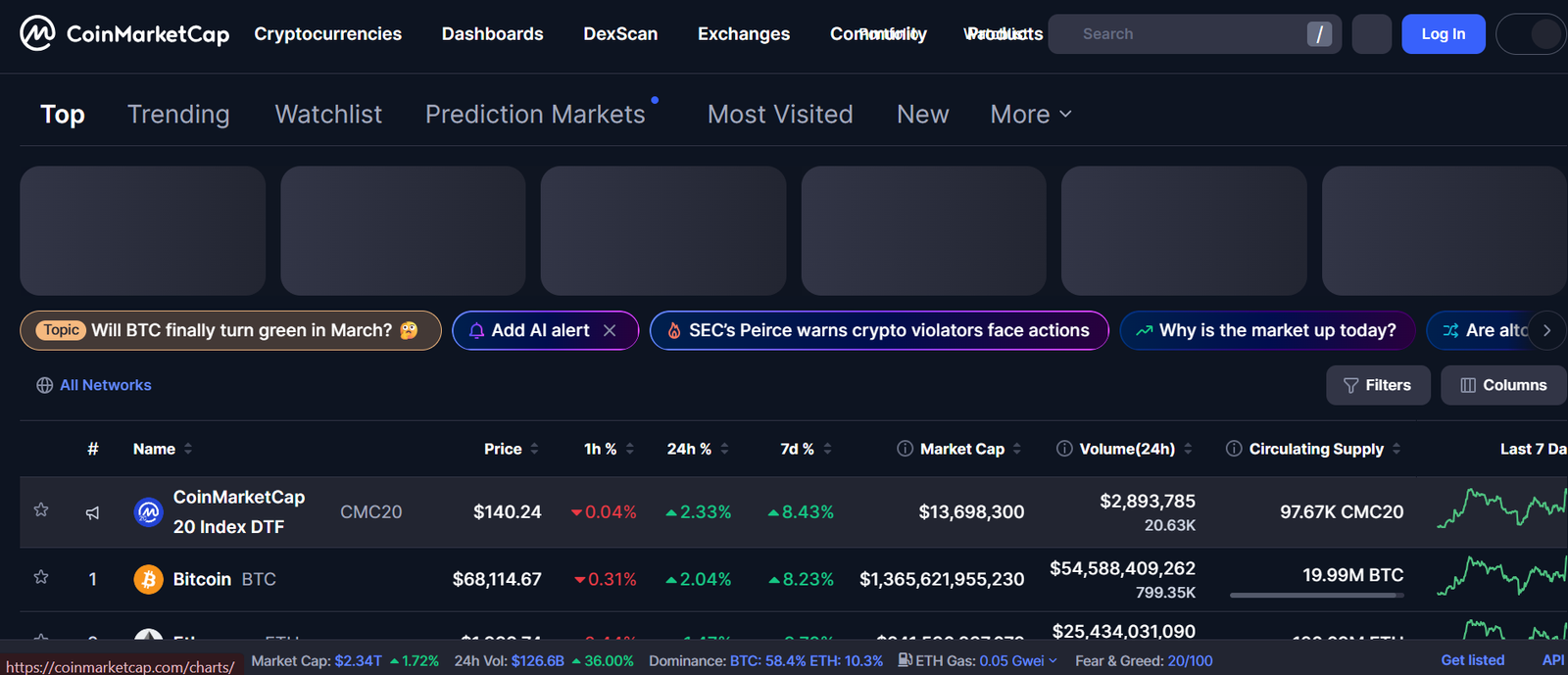
If you already rely on CoinMarketCap for price checks, rankings and token research, its built-in portfolio feature may look appealing.
In this CoinMarketCap Portfolio review, we examine whether this free feature works as a primary crypto portfolio tracking tool or simply as a lightweight companion alongside platforms like CoinTracker or CoinStats.
If you want help structuring a serious crypto portfolio tracking framework in the UK, book a call after this section.
What Is CoinMarketCap Portfolio?
CoinMarketCap Portfolio is a web-based crypto portfolio tracking tool that allows manual trade entry and live valuation tracking.
It does not offer automatic API syncing or built-in tax calculations. Instead, it provides:
- Manual transaction logging
- Real-time portfolio valuation
- Market cap context
- Token performance comparison
For UK investors with low transaction volume, this can serve as a simple monitoring solution.
Key Features
Manual Trade Logging
You input buy and sell transactions including quantity, purchase price and date.The system calculates profit and loss based on live market pricing. This works well for long-term holders but becomes time-consuming for frequent traders.Compared with CoinTracker, automation is limited.
Live Market Rankings Integration
One advantage over many basic trackers is immediate access to:
- Global market cap rankings
- 24-hour volume data
- Historical price charts
- Circulating supply metrics
This provides context beyond just your holdings. You can assess how your portfolio aligns with broader market trends.
Watchlist and Alerts
CoinMarketCap allows users to create watchlists separate from active holdings.
This is useful for tracking tokens before entry. However, alert functionality is less advanced compared with Delta or CoinStats.
Multi-Device Access
Because it is cloud-based, you can access your crypto portfolio tracking dashboard from any device.No installation required.
Free Usage
There are no paid subscription tiers for the portfolio feature.If you are testing crypto portfolio tracking tools before committing to paid plans, this offers a no-cost starting point.
Pros and Cons
| Pros | Cons |
| Free to use | No API integration |
| Strong market data | No tax reporting |
| Easy access | Manual workload |
| GBP valuation available | Limited analytics |
Pricing
Free.There are no premium upgrades for the portfolio tool itself.
Best For UK Investors Monitoring Long-Term Holdings
CoinMarketCap Portfolio is ideal for:
- Passive crypto holders
- Low-frequency traders
- Beginners avoiding API connections
- Investors needing simple valuation tracking
If you are comparing CoinMarketCap vs CoinGecko for crypto portfolio tracking, functionality is similar. Neither replaces tax-focused platforms.
Pro Tip: Use CoinMarketCap for macro market positioning analysis while relying on a dedicated crypto portfolio tracking tool for tax reporting.
How to Use CoinMarketCap Portfolio Efficiently
- Log transactions immediately after execution.
- Separate speculative holdings from core assets.
- Review allocation monthly.
- Cross-check balances with exchange accounts quarterly.
This reduces reporting errors.
CoinMarketCap Alternatives
If you require automation or tax depth, consider:
- CoinTracker
- CoinStats
- Delta
Each provides greater integration and reporting functionality.
Verdict
If you want a free, browser-based crypto portfolio tracking tool for simple oversight in the UK, CoinMarketCap Portfolio performs well. For complex portfolios, you will need more advanced software.
CoinTracker Enterprise – Institutional Crypto Portfolio Tracking

Enterprise tier of CoinTracker built for scale.
What Is CoinTracker Enterprise?
Designed for:
- Funds
- Corporations
- High-net-worth clients
Includes expanded transaction limits and dedicated support.
Key Features
Enterprise-Level Transaction Handling
Handles very large datasets.
Dedicated Account Support
Priority assistance.
Advanced Compliance Reporting
Structured documentation.
Multi-User Access
Team functionality.
Integration Depth
Broad exchange coverage.
Pros and Cons
| Pros | Cons |
| Institutional scale | Expensive |
| Dedicated support | Overkill for retail |
| Advanced reporting | No property tracking |
| Multi-user access | Subscription only |
Best For UK Crypto Funds
Ideal for:
- Institutional investors
- Treasury teams
- Large trading desks
Kubera Family Office – Elite Wealth and Crypto Portfolio Tracking
The highest tier of Kubera is aimed at family offices.
What is the Kubera Family Office?
An expanded wealth and crypto portfolio tracking tool offering:
- Multi-entity management
- Consolidated reporting
- Estate continuity infrastructure
Key Features
Multi-Entity Tracking
Manage multiple portfolios.
Consolidated Reporting
Aggregate family holdings.
Asset Documentation Storage
Secure digital record keeping.
Advanced Allocation Analytics
Strategic oversight view.
Estate Continuity Planning
Structured succession controls.
Pros and Cons
| Pros | Cons |
| Full wealth oversight | Premium pricing |
| Multi-entity support | Not trader focused |
| Estate tools | Limited tax engine |
| Strategic dashboard | High cost |
Best For UK Family Offices and Large Estates
Ideal for:
- Multi-generational investors
- High-net-worth families
- Strategic wealth planners
Pro Tip: Conduct annual crypto allocation review alongside total estate planning review.
Which Crypto Portfolio Tracking Tool Should You Choose in 2026?
There is no single best crypto portfolio tracking tool for everyone in the UK.Your choice depends on:
- Transaction volume
- Tax complexity
- DeFi exposure
- Multi-asset wealth structure
- Whether you trade actively or hold long-term
If you are tax-focused, CoinTracker, TokenTax or CoinLedger make sense. If you operate heavily in DeFi, Zerion, Zapper or Debank give deeper on-chain visibility. If you manage diversified wealth including property and shares, Kubera stands out. If you want simple monitoring, CoinGecko or CoinMarketCap may be sufficient.
The key is alignment. The wrong crypto portfolio tracking tool creates blind spots. The right one gives clarity on allocation, capital gains and overall exposure.Pick the platform that matches your current complexity level and review it quarterly as your activity evolves.
Call to Action
At Pearl Lemon Catering, we understand that serious operators treat oversight and organisation as non-negotiable. The same discipline that keeps a high-performance kitchen running smoothly applies to digital asset management.
If you are a business owner, investor or executive holding crypto as part of your broader financial picture, we can assist with:
- Structured financial documentation processes
- Internal reporting systems
- Multi-entity oversight planning
- Operational clarity across asset classes
FAQs
- What is the best crypto portfolio tracking tool for UK investors?
The best option depends on transaction volume and tax complexity. High-volume traders typically require tax-integrated platforms such as CoinTracker or TokenTax, while DeFi users may need wallet-based trackers like Zerion.
- Do crypto portfolio tracking tools calculate UK Capital Gains Tax automatically?
Some tools calculate gains automatically based on imported transactions. However, you must verify accounting method selection aligns with UK regulations.
- Can I connect multiple exchanges to one crypto portfolio tracking tool?
Yes. Most advanced platforms support API integration across multiple exchanges, allowing unified reporting.
- Are DeFi staking rewards tracked automatically?
Wallet-based trackers such as Zerion and Zapper display staking rewards. Tax categorisation may require a dedicated tax tool.
- Is manual tracking sufficient for small portfolios?
If transaction count is low, manual tools such as CoinGecko Portfolio may work. As trade frequency increases, automation becomes necessary.
- What accounting methods are supported?
Tax-focused platforms often support FIFO, LIFO and specific identification methods. UK investors should confirm compatibility before filing.
- How often should I review my crypto portfolio allocation?
Quarterly reviews are recommended, particularly during volatile market cycles.
- Can these tools track NFTs?
DeFi-oriented platforms such as Zerion and Zapper support NFT visibility. Traditional trackers may not include floor price valuation.
- Are these tools secure?
Most platforms use encrypted API connections. However, always use read-only API keys where possible.
- When should I upgrade from a free crypto portfolio tracking tool?
Upgrade when transaction volume increases, when tax reporting becomes complex, or when you need consolidated multi-asset oversight.