
According to Morningstar, investors who rebalance regularly can increase long-term returns by up to 0.4% annually through disciplined allocation. Yet, only 36% of retail investors in the UK use automated tools for this task, a massive opportunity to improve performance and reduce risk.
What you need is a portfolio rebalancing tool.
After reviewing over 40 tools, we’ve shortlisted the 20 best portfolio rebalancing tools that deliver accuracy, automation, and control. Whether you’re a retail investor, wealth manager, or financial advisor, this list will help you find the right software for your portfolio management needs.
 Morningstar Portfolio Manager is one of the most trusted portfolio rebalancing tools among UK investors who prefer data-backed insights. It combines research-driven analytics with a robust interface that tracks and rebalances portfolios automatically. Financial planners and self-directed investors rely on Morningstar for its depth of data and transparent approach to asset management.
 SigFig is a smart, automation-first platform designed for investors who prefer simplicity without sacrificing control. It syncs directly with your brokerage accounts to automate monitoring, rebalancing, and reporting. The platform is particularly well-suited for hands-off investors who want to maintain a balanced portfolio with minimal manual oversight.
 Personal Capital combines personal finance tracking with investment analysis, making it one of the most comprehensive portfolio rebalancing tools available. It’s particularly effective for long-term investors who want an integrated view of their entire financial life.
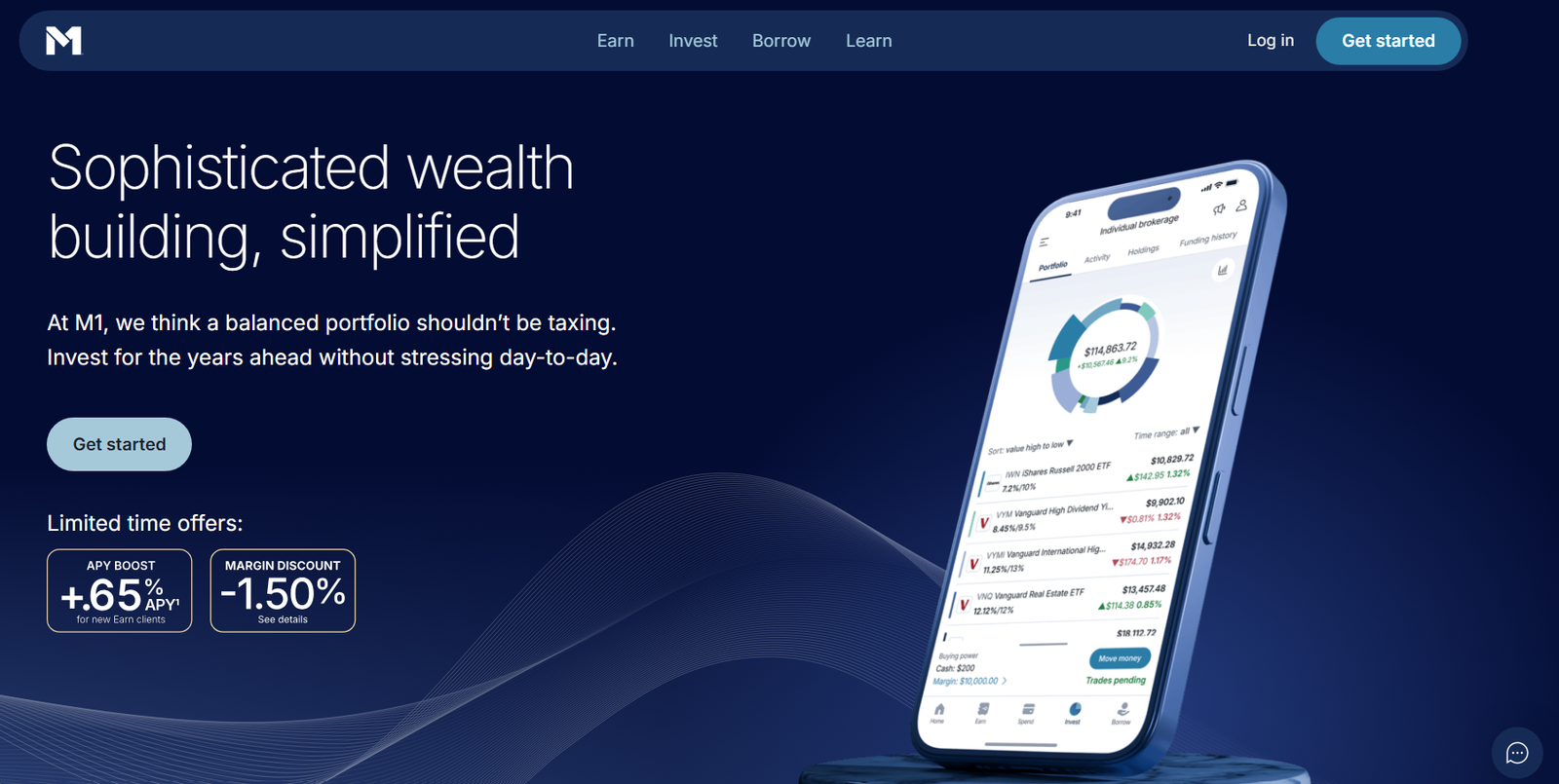 M1 Finance brings visual simplicity to portfolio management through its “pie-based” investing system. Each pie slice represents an asset or ETF, and rebalancing happens automatically whenever deposits or withdrawals are made.
 Interactive Brokers is a favourite among active traders and professional investors who want total control over portfolio composition. It offers advanced rebalancing functionality, full customisation, and institutional-grade execution tools.
 Betterment is a well-known automated investing platform that focuses on goal-based portfolio rebalancing. It’s designed for investors who prefer a hands-off approach while maintaining alignment with long-term objectives. Its algorithms automatically adjust allocations to match user-defined goals such as retirement or major purchases.
 Wealthfront is an AI-driven investment platform that specialises in automated rebalancing with a focus on tax efficiency and smart diversification. It’s particularly suited for investors who appreciate automation but still want control over custom asset mixes.
 Fidelity’s Portfolio Advisory Service combines human advisory expertise with digital rebalancing technology. It’s designed for long-term investors seeking professional guidance alongside automated asset management.
 Charles Schwab’s platform focuses on algorithmic portfolio rebalancing using low-cost ETFs. It’s perfect for investors who prefer a hands-off approach but want sophisticated, rules-based management.
 Vanguard Digital Advisor provides automated, low-cost rebalancing built on Vanguard’s long-standing expertise in index investing. It’s designed for investors who prefer stability, passive strategies, and simple maintenance.
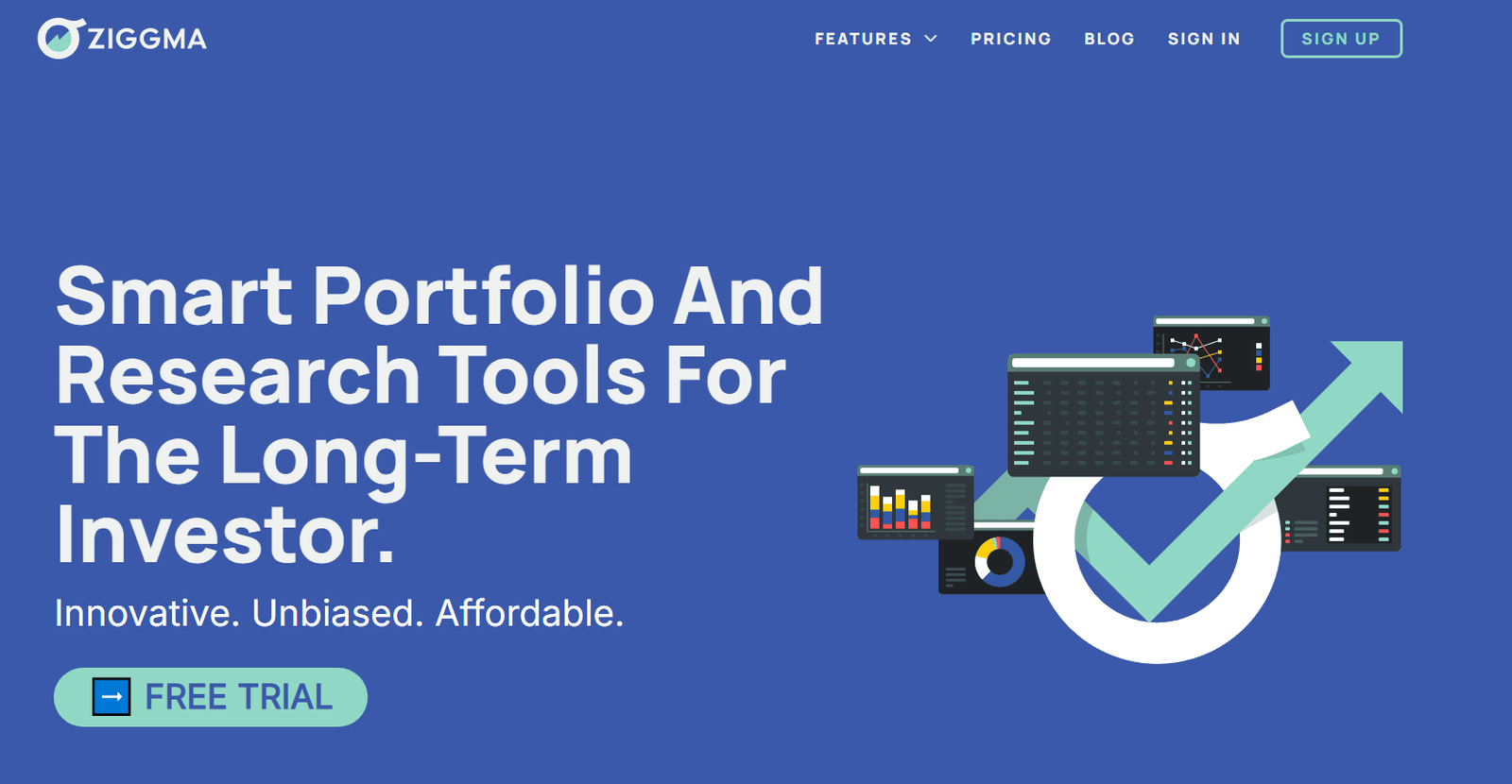 Ziggma is a cloud-based portfolio tracking and rebalancing platform built for stock and ETF investors. It’s especially popular among users who prefer data visualisation and instant insights into portfolio health.
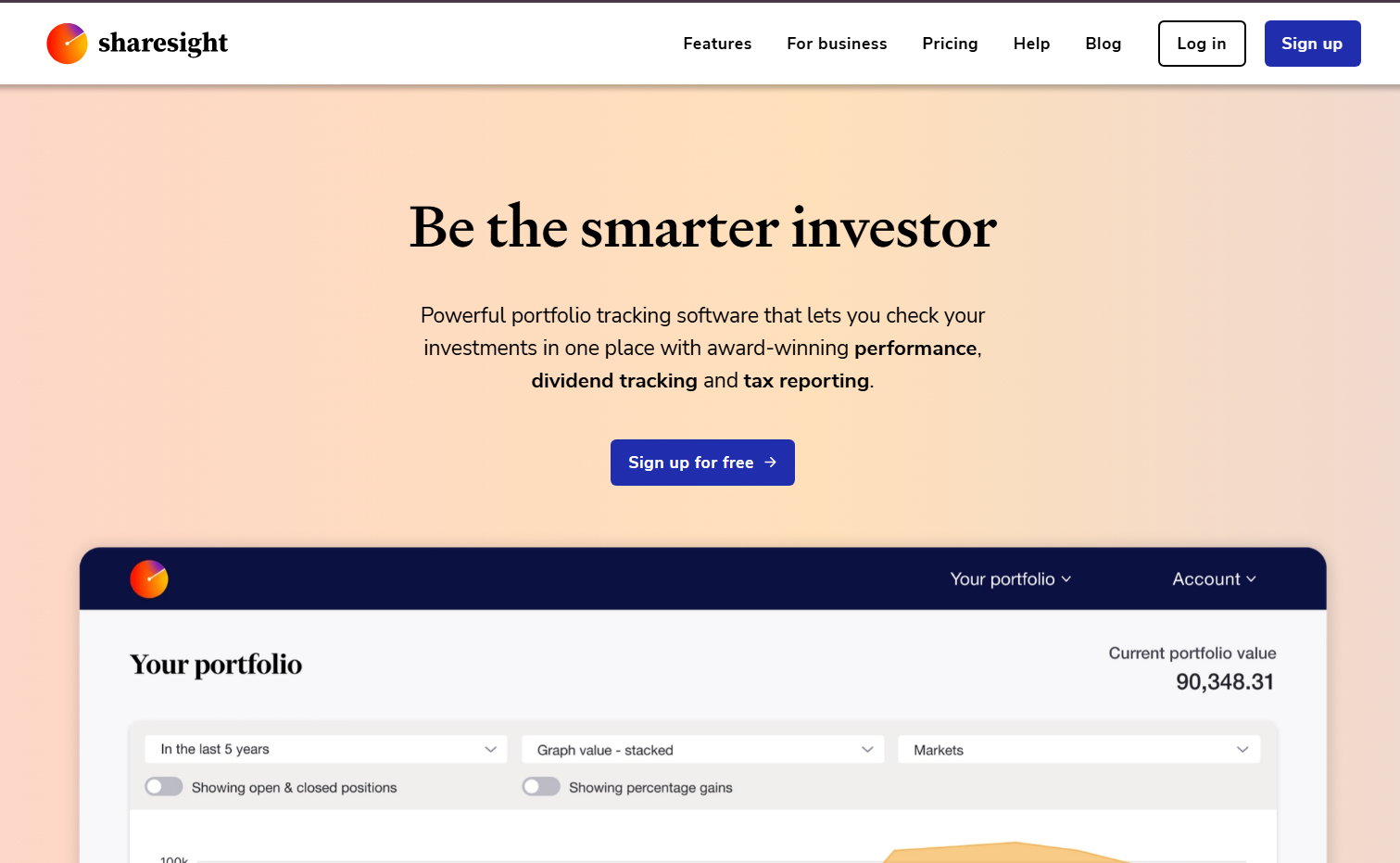 Sharesight is a powerful portfolio tracking and performance reporting tool popular among dividend investors. It simplifies rebalancing by helping you understand income flows and capital gains in real time.
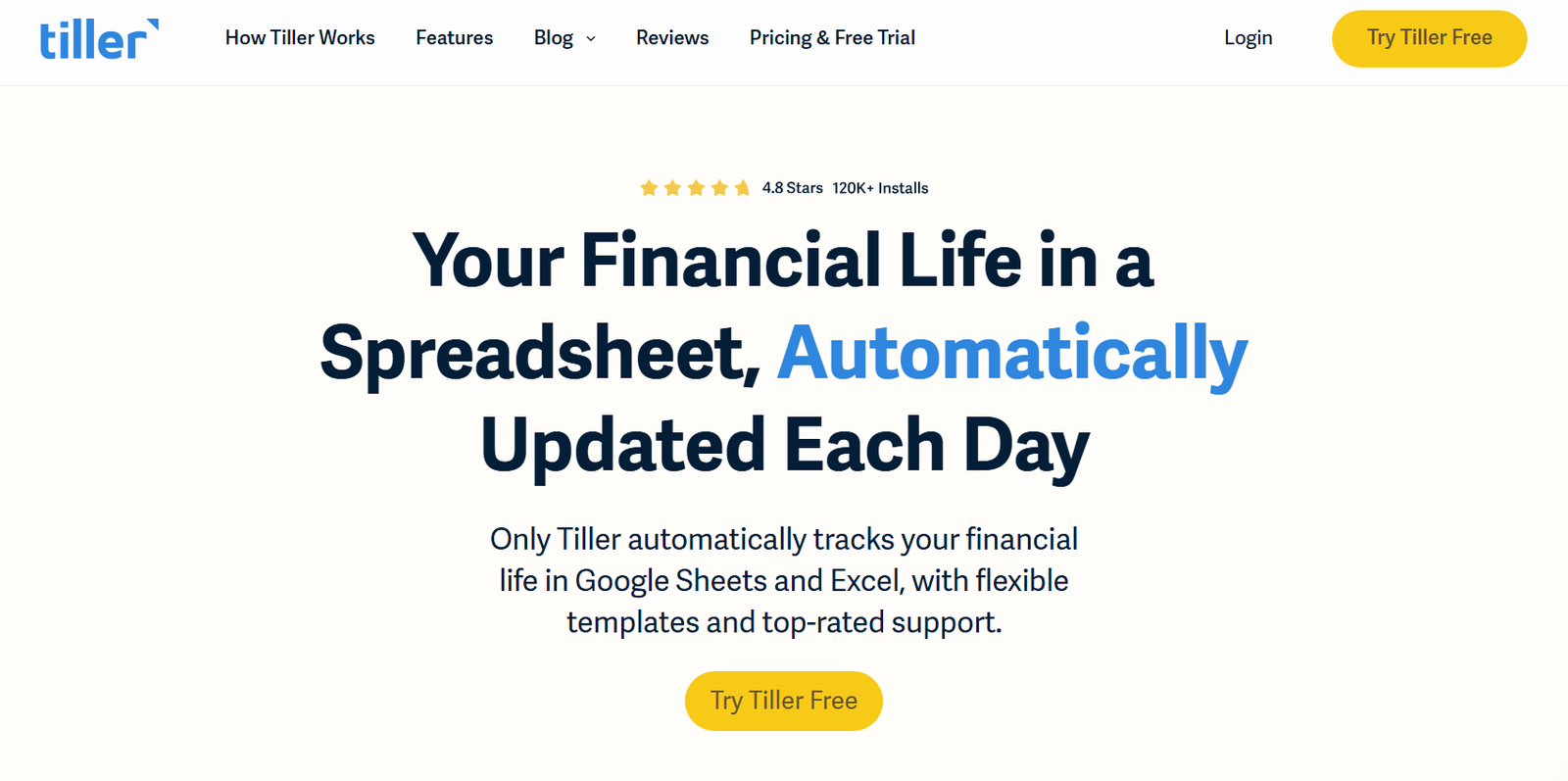 Tiller Money connects to Google Sheets and Excel to automate financial tracking and portfolio rebalancing. It’s designed for investors who enjoy manual control but want automation to reduce repetitive data entry.
 Asset-Map offers visual financial mapping that turns complex data into easy-to-understand portfolio visuals. It’s mainly used by financial advisers but is equally valuable for individuals managing multiple accounts.
 Riskalyze is one of the most advanced portfolio rebalancing tools designed for financial advisers and wealth managers. Its standout feature is the Risk Number®, which quantifies client risk tolerance and automates rebalancing to maintain alignment with it.
 Advyzon is an all-in-one wealth management platform that integrates CRM, portfolio rebalancing, and performance reporting. It’s especially effective for firms that want to manage client relations and rebalancing from one place.
 Orion Advisor Tech is a comprehensive rebalancing and wealth management platform designed for large advisory firms. It excels in automation, integration, and scalability.
 Morningstar ByAllAccounts focuses on data aggregation and reconciliation to streamline portfolio tracking and rebalancing. It connects thousands of custodians, making it a valuable backbone tool for multi-account investors.
 Quicken Premier remains one of the most accessible portfolio rebalancing tools for individual investors who prefer control and simplicity. It’s perfect for tracking, analysing, and manually rebalancing diverse holdings.
What Is Portfolio Rebalancing?
Portfolio rebalancing is the process of adjusting the weights of assets in your portfolio to maintain your target risk and return levels. Over time, asset prices shift and without rebalancing, your portfolio may become either too risky or too conservative. Why it matters:- Keeps your investments aligned with your long-term goals
- Prevents emotional decision-making
- Reduces portfolio volatility
- Improves consistency of returns
Quick Comparison Table
Before diving into each platform, here’s a quick comparison of the top-rated portfolio rebalancing tools we tested. We’ve focused on key factors that investors care about most: use case, pricing, automation features, ratings, and free trial availability.| Tool Name | Best For | Starting Price | Free Trial? | Key Feature | Rating (G2) |
| Morningstar Portfolio Manager | UK Investors | £20/mo | Yes | Asset allocation analysis | 4.5 |
| SigFig | Automated Investors | Free | Yes | Robo-advisory integration | 4.4 |
| Personal Capital | Long-Term Investors | Free | Yes | Net worth tracking | 4.6 |
| M1 Finance | DIY Investors | Free | No | Pie-based rebalancing | 4.3 |
| Interactive Brokers | Active Traders | £10/mo | No | Custom rebalancing rules | 4.2 |
| Betterment | Hands-off Investors | £3/mo | Yes | Goal-based rebalancing | 4.7 |
| Wealthfront | Tech-Savvy Investors | £3/mo | Yes | Automated tax-loss harvesting | 4.6 |
| Kubera | Multi-Asset Investors | £12/mo | Yes | Global portfolio view | 4.4 |
| Fidelity Portfolio Advisory | Long-Term Planners | £25/mo | No | Professional oversight | 4.5 |
| Charles Schwab Intelligent Portfolios | Passive Investors | Free | Yes | Algorithmic balancing | 4.3 |
| Vanguard Digital Advisor | Conservative Investors | £10/mo | No | Index-based balancing | 4.5 |
| Ziggma | Stock Portfolio Holders | £5/mo | Yes | Portfolio health score | 4.4 |
| Sharesight | Dividend Investors | £8/mo | Yes | Tax & performance reports | 4.7 |
| Tiller Money | Spreadsheet Enthusiasts | £7/mo | Yes | Excel/Google Sheets automation | 4.3 |
| Asset-Map | Financial Advisors | £30/mo | Yes | Visual portfolio maps | 4.6 |
| Riskalyze | Advisors & Firms | £50/mo | Yes | Risk alignment automation | 4.7 |
| Advyzon | Wealth Managers | Custom | Yes | All-in-one CRM + rebalancing | 4.8 |
| Orion Advisor Tech | Large Firms | Custom | Yes | Trade execution integration | 4.6 |
| Morningstar ByAllAccounts | Aggregators | £15/mo | No | Data synchronisation | 4.4 |
| Quicken Premier | Individual Investors | £8/mo | Yes | Manual rebalancing dashboard | 4.3 |
Best 20 Portfolio Rebalancing Tools
Each tool below is broken down by key features, pricing, and who it’s best suited for.1. Morningstar Portfolio Manager
Morningstar Portfolio Manager is one of the most trusted portfolio rebalancing tools among UK investors who prefer data-backed insights. It combines research-driven analytics with a robust interface that tracks and rebalances portfolios automatically. Financial planners and self-directed investors rely on Morningstar for its depth of data and transparent approach to asset management.
Key Features
- Asset Allocation Analysis Morningstar’s allocation analysis evaluates how your investments align with target asset mixes. It visualises imbalances and highlights overexposure to asset classes, helping users make informed rebalancing decisions.
- Performance Attribution This feature breaks down performance across sectors and assets to show where your returns are truly coming from. It allows you to adjust positions based on the strongest or weakest contributors.
- Rebalancing Alerts Morningstar sends alerts when your portfolio drifts beyond your chosen tolerance levels. This ensures you maintain your risk profile without constantly monitoring the market.
- Multi-Portfolio Management Ideal for investors managing several accounts, it aggregates data and rebalances across multiple portfolios simultaneously, saving hours of manual work.
- Integration with Brokerages Morningstar connects with most UK brokerage accounts, enabling direct import of holdings and real-time tracking of market changes.
Pros & Cons
| Pros | Cons |
| Accurate, data-backed insights | Interface feels dated |
| Advanced performance reports | Limited automation options |
| Suitable for both retail and professional investors | No mobile app |
| Excellent asset classification | Higher learning curve for beginners |
Pricing
Morningstar Portfolio Manager starts at £20 per month, with a 14-day free trial for new users. The premium version includes expanded reporting tools and broader asset coverage.Best For Long-Term Investors Who Value Analytics
Morningstar Portfolio Manager is best suited for long-term investors, financial analysts, and wealth managers who need accurate rebalancing analytics and a clear audit trail.- Financial planners — for precise, compliance-ready reports
- Retail investors — to manage diversified portfolios effectively
- Wealth managers — to compare client portfolios at scale
How to Use Morningstar Portfolio Manager for Portfolio Health
Use the “Portfolio X-Ray” to spot overlapping holdings across multiple funds. Many users overlook this feature, but it’s key to avoiding hidden concentration risks that could distort rebalancing outcomes.Best Alternate Tool
If you want a more automated approach with less manual input, SigFig is a strong Morningstar alternative for hands-off investors.2. SigFig
SigFig is a smart, automation-first platform designed for investors who prefer simplicity without sacrificing control. It syncs directly with your brokerage accounts to automate monitoring, rebalancing, and reporting. The platform is particularly well-suited for hands-off investors who want to maintain a balanced portfolio with minimal manual oversight.
Key Features
- Automated Portfolio Rebalancing SigFig automatically adjusts your investments when allocations drift, ensuring consistent risk exposure across your portfolio.
- Integrated Robo-Advisory It partners with leading brokerages like Schwab and Fidelity, allowing automated management with professional oversight.
- Real-Time Performance Tracking Investors can view up-to-the-minute returns, asset splits, and risk ratios through an intuitive dashboard.
- Fee Optimisation Insights SigFig identifies hidden fund fees that erode returns, offering actionable recommendations to reduce costs.
- Portfolio Diversification Metrics The platform visualises diversification quality, helping users prevent overconcentration in specific sectors.
Pros & Cons
| Pros | Cons |
| Free to use for most features | Limited to partner brokerages |
| Automated rebalancing | Fewer custom settings |
| Excellent visual dashboards | Less suitable for advanced traders |
Pricing
SigFig is free for portfolio tracking. For advisory services, it charges 0.25% annually after the first £8,000 managed for free.Best For Passive Investors Seeking Automation
SigFig is ideal for casual investors and new market entrants who want effortless rebalancing without learning complex software.- New investors — automation without steep learning curve
- Time-strapped professionals — hands-off management
- Passive investors — consistent long-term growth
How to Use SigFig for Effortless Rebalancing
Link your brokerage account and set your target allocation. SigFig tracks deviations daily and automatically rebalances when allocations drift beyond set limits.Best Alternate Tool
For more advanced customisation, Betterment offers stronger goal-based investment tools.3. Personal Capital
Personal Capital combines personal finance tracking with investment analysis, making it one of the most comprehensive portfolio rebalancing tools available. It’s particularly effective for long-term investors who want an integrated view of their entire financial life.
Key Features
- Net Worth Dashboard It aggregates all your assets and liabilities, including property, pensions, and investments, to give a clear picture of your financial position.
- Smart Rebalancing Personal Capital’s algorithm triggers rebalancing when allocations deviate significantly from your targets, reducing volatility and maintaining your desired risk level.
- Fee and Cash Flow Analysis It highlights hidden fund fees and provides detailed insights into monthly spending trends.
- Retirement Planner This simulation-based tool models various scenarios to show how your investment strategy aligns with your retirement goals.
- Multi-Account Aggregation You can link multiple investment and bank accounts, making rebalancing decisions more holistic.
Pros & Cons
| Pros | Cons |
| Comprehensive personal finance integration | Limited availability for UK investors |
| Advanced analytics | Premium advisory cost can be high |
| Excellent dashboard design | No real-time UK tax reporting |
Pricing
Personal Capital is free for tracking tools. Advisory services start at 0.89% of assets under management annually.Best For Investors Managing Multiple Assets
Perfect for wealth-conscious individuals, business owners, and retirees who value detailed insights.- High-net-worth individuals — for unified wealth tracking
- Business owners — consolidated view of investments and cash flow
- Retirees — retirement projection and rebalancing precision
How to Use Personal Capital for Holistic Rebalancing
Regularly review your “Investment Checkup” tool, which highlights allocation gaps and provides actionable rebalancing suggestions.Best Alternate Tool
If you want similar tracking with stronger UK support, Kubera is a solid alternative.4. M1 Finance
M1 Finance brings visual simplicity to portfolio management through its “pie-based” investing system. Each pie slice represents an asset or ETF, and rebalancing happens automatically whenever deposits or withdrawals are made.
Key Features
- Pie-Based Portfolio Design Users can build custom “pies” representing asset allocations and track each slice’s performance in real time.
- Automatic Rebalancing with Deposits When you add funds, M1 Finance rebalances instantly according to your target percentages.
- Fractional Shares It allows you to buy fractional shares, ensuring perfect balance without uninvested cash left idle.
- Custom Rules for Automation Investors can set rebalancing triggers by asset drift percentage or time intervals.
- Tax-Efficient Transfers Automatically prioritises selling higher-cost assets first to reduce taxable gains.
Pros & Cons
| Pros | Cons |
| Fully automated rebalancing | Not yet widely available in the UK |
| Visual, user-friendly interface | No advanced analytics |
| Commission-free trading | Limited human advisory support |
Pricing
M1 Finance offers a free version with all core features. The M1 Plus plan costs £7 per month, offering faster transfers and cashback options.Best For DIY Investors Who Want Visual Control
Perfect for DIY investors, younger investors, and ETF enthusiasts who prefer to customise portfolios visually.- Millennials — intuitive interface and automation
- ETF investors — easy portfolio segmentation
- DIY investors — custom allocations with control
How to Use M1 Finance for Target Allocations
Rebalance manually with one click or set auto-rebalance based on contributions, an effortless way to maintain consistency.Best Alternate Tool
Ziggma offers similar visual rebalancing features with deeper analytics for UK investors.5. Interactive Brokers
Interactive Brokers is a favourite among active traders and professional investors who want total control over portfolio composition. It offers advanced rebalancing functionality, full customisation, and institutional-grade execution tools.
Key Features
- Custom Rebalancing Rules Users can define unique rebalancing conditions, including threshold triggers, asset weights, and trade execution strategies.
- Multi-Account Rebalancing Ideal for financial advisers managing several client portfolios at once.
- Real-Time Market Integration Rebalancing takes place with live market data for highly accurate trade execution.
- Advanced Order Types Supports algorithmic and conditional orders during rebalancing to minimise slippage and transaction costs.
- Historical Backtesting You can simulate how rebalancing rules would have performed historically before applying them live.
Pros & Cons
| Pros | Cons |
| Full control over rules and strategies | Steep learning curve |
| Professional-grade analytics | Interface less friendly for casual users |
| Ideal for large portfolios | Monthly fee for smaller accounts |
Pricing
Interactive Brokers’ pricing starts at £10 per month for IBKR Lite accounts, with variable commissions based on trade volume.Best For Active Traders and Professional Managers
Perfect for active traders, institutional investors, and advisers seeking maximum control.- Fund managers — simultaneous client rebalancing
- Advanced traders — complex strategy execution
- Institutional investors — precision-based rebalancing
How to Use Interactive Brokers for Advanced Rebalancing
Use the “Portfolio Rebalancer” tool under the TWS platform to create custom triggers and automate trade executions based on market conditions.Best Alternate Tool
Orion Advisor Tech offers similar power but with integrated CRM and client management for advisory firms.6. Betterment
Betterment is a well-known automated investing platform that focuses on goal-based portfolio rebalancing. It’s designed for investors who prefer a hands-off approach while maintaining alignment with long-term objectives. Its algorithms automatically adjust allocations to match user-defined goals such as retirement or major purchases.
Key Features
- Goal-Based Rebalancing Betterment rebalances according to each user’s specific financial goals and time horizon, ensuring the risk profile stays appropriate over time.
- Tax-Loss Harvesting This automated feature sells underperforming assets to offset taxable gains, improving after-tax returns without disrupting allocations.
- Smart Deposit System Automatically invests extra cash in a way that rebalances your portfolio as new money flows in.
- Dynamic Glide Paths Allocations gradually shift from equities to bonds as users approach their goals, maintaining balance with reduced volatility.
- Hybrid Advice Model Combines automation with human financial planners for those wanting added guidance.
Pros & Cons
| Pros | Cons |
| Fully automated, goal-driven investing | Not all features available outside the US |
| Includes tax-loss harvesting | Limited customisation for experienced users |
| Clear visual goals tracking | No manual rebalancing options |
Pricing
Betterment’s pricing starts at £3 per month for the digital plan, while the premium plan costs 0.40% annually and includes unlimited financial advice.Best For Hands-Off Investors Focused on Goals
Betterment suits retail investors, retirees, and busy professionals seeking automated, rules-based rebalancing.- Passive investors — fully managed portfolio
- Time-poor professionals — automatic allocation adjustments
- Retirees — safe, gradual de-risking over time
How to Use Betterment for Goal-Based Investing
Link your savings or investment accounts, choose your goals, and allow Betterment’s algorithm to automatically rebalance as your progress evolves.Best Alternate Tool
Wealthfront offers a similar automation experience but with more customisation options for advanced investors.7. Wealthfront
Wealthfront is an AI-driven investment platform that specialises in automated rebalancing with a focus on tax efficiency and smart diversification. It’s particularly suited for investors who appreciate automation but still want control over custom asset mixes.
Key Features
- Automated Daily Rebalancing Wealthfront continuously monitors allocations and performs micro-rebalances daily to prevent drift.
- Tax-Loss Harvesting Plus This upgraded version enhances standard tax-loss harvesting by factoring in asset correlations and timing.
- Direct Indexing For larger portfolios, it replaces ETFs with individual stocks to improve tax efficiency and control.
- Smart Cash Management Unused cash is automatically swept into high-yield accounts while maintaining portfolio balance.
- Risk Parity Allocation Offers more stable returns by distributing risk evenly across asset types rather than simple weighting.
Pros & Cons
| Pros | Cons |
| Daily automated rebalancing | Not directly supported for UK investors |
| Strong tax efficiency tools | Requires higher account minimum for some features |
| User-friendly design | Less flexible goal setting |
Pricing
Wealthfront charges a 0.25% annual advisory fee with no additional transaction costs.Best For Tech-Savvy Investors Who Value Tax Efficiency
Perfect for investors with medium to large portfolios and tech-minded users seeking intelligent automation.- Tech-focused investors — smooth, algorithmic execution
- High earners — automated tax optimisation
- Long-term investors — reduced volatility and higher net returns
How to Use Wealthfront for Automated Efficiency
Enable “Daily Rebalancing” and “Tax-Loss Harvesting Plus” together for optimal balance and tax outcomes.Best Alternate Tool
Betterment remains a strong alternative for those who want simpler goal-based investing.8. Kubera
Kubera is a personal balance sheet platform for modern investors who hold assets across multiple categories like stocks, crypto, real estate, and private equity. It’s designed for those who want multi-asset portfolio rebalancing with a clean, data-driven interface.Key Features
- Multi-Asset Aggregation Kubera connects to over 20,000 financial institutions, allowing you to manage global investments in one view.
- Smart Portfolio Rebalancing The system automatically updates valuations and identifies imbalances across currencies and asset types.
- Crypto Integration Supports real-time tracking and rebalancing suggestions for digital assets.
- Wealth Tracking Automation Daily updates ensure your portfolio reflects accurate net worth across all holdings.
- Estate Planning Integration Allows secure sharing of your portfolio with family or financial advisers.
Pros & Cons
| Pros | Cons |
| Tracks diverse asset types | No direct trading or automation |
| Intuitive interface | Premium pricing for advanced features |
| Ideal for global investors | Limited performance analytics |
Pricing
Kubera starts at £12 per month with a 14-day free trial.Best For Global and Multi-Asset Investors
Kubera suits diversified investors, crypto holders, and expats managing assets across regions.- Crypto investors — unified tracking and rebalancing
- International investors — multi-currency integration
- Family offices — asset transparency and inheritance features
How to Use Kubera for Multi-Asset Management
Link all accounts and digital wallets; Kubera’s automatic valuation engine will suggest rebalancing priorities across asset classes.Best Alternate Tool
Personal Capital offers similar wealth tracking with more detailed performance analytics.9. Fidelity Portfolio Advisory Service
Fidelity’s Portfolio Advisory Service combines human advisory expertise with digital rebalancing technology. It’s designed for long-term investors seeking professional guidance alongside automated asset management.
Key Features
- Professional Rebalancing A team of Fidelity advisers monitors and rebalances client portfolios when allocations deviate from target weights.
- Goal-Based Investment Strategy Aligns portfolios to objectives like retirement income or wealth preservation.
- Multi-Account Coordination Rebalances across taxable and non-taxable accounts for consistency.
- Institutional-Grade Research Fidelity’s proprietary research informs rebalancing decisions based on economic trends.
- Annual Review Reports Clients receive detailed reports showing adjustments, returns, and projected outcomes.
Pros & Cons
| Pros | Cons |
| Personalised oversight with automation | Minimum investment requirement |
| Broad investment choice | Advisory fees can be high |
| Trusted brand | Not suitable for small portfolios |
Pricing
Advisory fees start from 0.50% annually, depending on account size.Best For Long-Term Investors Seeking Professional Oversight
Best suited for retirees, corporate professionals, and families who prefer managed rebalancing.- Conservative investors — professional oversight
- High earners — complex portfolio coordination
- Families — long-term planning and advice
How to Use Fidelity Portfolio Service
Regular reviews ensure your investment goals align with current allocations. Fidelity’s team automatically rebalances as markets change.Best Alternate Tool
Charles Schwab Intelligent Portfolios provides similar automation but without human advisory costs.10. Charles Schwab Intelligent Portfolios
Charles Schwab’s platform focuses on algorithmic portfolio rebalancing using low-cost ETFs. It’s perfect for investors who prefer a hands-off approach but want sophisticated, rules-based management.
Key Features
- Algorithmic Rebalancing The platform continuously monitors portfolios and executes trades when allocations drift beyond preset thresholds.
- Automatic Tax-Loss Harvesting Rebalances while simultaneously identifying loss opportunities to improve after-tax returns.
- Goal-Linked Accounts Allows separate portfolios for distinct financial objectives, each with unique risk tolerances.
- Low Minimum Investment Accessible for smaller investors, with rebalancing starting from as little as £3,000.
- Diversified ETF Selection Invests across asset classes for broad exposure and balance.
Pros & Cons
| Pros | Cons |
| No advisory fees | Limited manual input options |
| Tax optimisation features | May feel too automated for advanced users |
| Suitable for beginners | ETF-only approach may not suit everyone |
Pricing
No management fee, though ETF costs apply (average 0.06% annually).Best For Passive Investors Wanting Free Automation
Ideal for first-time investors and cost-conscious individuals seeking efficient, automated rebalancing.- Beginners — accessible and simple setup
- Cost-sensitive investors — no fees
- Passive investors — automatic, low-maintenance balance
How to Use Schwab Intelligent Portfolios
Set your investment goals and risk level; the system handles allocations and rebalancing automatically.Best Alternate Tool
Vanguard Digital Advisor offers a similar low-cost model with slightly more flexibility in portfolio composition.11. Vanguard Digital Advisor
Vanguard Digital Advisor provides automated, low-cost rebalancing built on Vanguard’s long-standing expertise in index investing. It’s designed for investors who prefer stability, passive strategies, and simple maintenance.
Key Features
- Index-Based Rebalancing Portfolios automatically rebalance using Vanguard index funds, ensuring low costs and diversified exposure.
- Goal Planning and Tracking Users can define targets for retirement, home purchase, or savings goals, and the system adjusts allocations accordingly.
- Glide Path Strategy Gradually reduces exposure to equities as you near your goal date to minimise risk.
- Tax-Efficient Allocation Uses index funds optimised for minimal turnover, maintaining tax efficiency throughout rebalancing cycles.
- Portfolio Health Monitoring Provides periodic updates highlighting allocation drift and performance trends.
Pros & Cons
| Pros | Cons |
| Low management fees | Less flexible asset selection |
| Simple, effective automation | Limited access for smaller accounts |
| Backed by a trusted brand | No real-time customisation |
Pricing
Vanguard Digital Advisor charges a 0.15% annual management fee, with no trading commissions.Best For Conservative, Long-Term Investors
Best suited for retirement planners, pension holders, and conservative investors seeking automated, index-based rebalancing.- Long-term investors — stable, rules-based approach
- Retirement savers — low-cost accumulation
- Cautious investors — reduced exposure risk
How to Use Vanguard Digital Advisor for Risk Management
Set your time horizon and risk level; Vanguard’s model portfolio automatically adapts allocations to keep you aligned.Best Alternate Tool
Fidelity Portfolio Advisory Service offers similar long-term planning with human oversight.12. Ziggma
Ziggma is a cloud-based portfolio tracking and rebalancing platform built for stock and ETF investors. It’s especially popular among users who prefer data visualisation and instant insights into portfolio health.
Key Features
- Portfolio Health Score Ziggma assigns each portfolio a score based on diversification, volatility, and performance metrics.
- Rebalancing Recommendations Identifies underweight and overweight positions, offering one-click rebalancing suggestions.
- Peer Portfolio Comparison Allows you to benchmark your performance and risk exposure against similar investor profiles.
- Automated Alerts Notifies users when allocations deviate beyond set risk parameters.
- Stock Screener and Research Tools Integrates fundamental metrics to guide your investment decisions during rebalancing.
Pros & Cons
| Pros | Cons |
| Intuitive and visual interface | Manual rebalancing only |
| Low-cost subscription | Limited asset coverage outside equities |
| Great analytics for retail investors | No integration with UK pension accounts |
Pricing
Ziggma’s plans start at £5 per month, with a 14-day free trial available.Best For Stock-Focused Investors Who Want Visual Guidance
Ziggma is perfect for DIY stock traders, ETF enthusiasts, and data-oriented investors.- Stock traders — clear analytics and balance tracking
- ETF investors — one-click rebalance suggestions
- Visual learners — easy interpretation of metrics
How to Use Ziggma for Risk Analysis
Monitor your “Portfolio Health Score” weekly; rebalancing suggestions update automatically based on performance trends.Best Alternate Tool
M1 Finance provides similar visuals with automation for investors seeking less manual input.13. Sharesight
Sharesight is a powerful portfolio tracking and performance reporting tool popular among dividend investors. It simplifies rebalancing by helping you understand income flows and capital gains in real time.
Key Features
- Automatic Dividend Tracking Logs and analyses dividends, aiding rebalancing decisions based on income consistency.
- Tax Reporting Integration Automatically calculates capital gains, franking credits, and income tax positions.
- Asset Allocation Reports Breaks down exposure by sector, geography, and asset type for easy rebalancing insights.
- Multi-Currency Support Ideal for global investors with foreign holdings.
- Benchmark Comparison Measures portfolio performance against indices or custom benchmarks.
Pros & Cons
| Pros | Cons |
| Detailed dividend and tax data | No automated rebalancing function |
| Great for tax season prep | Less suitable for active traders |
| Supports global assets | Interface could feel complex initially |
Pricing
Starts from £8 per month, with a free tier for smaller portfolios.Best For Dividend and Income-Focused Investors
Ideal for income investors, global traders, and UK-based expats.- Dividend investors — detailed yield tracking
- Tax-conscious investors — automated tax summaries
- Global investors — currency diversification support
How to Use Sharesight for Dividend Rebalancing
Review dividend yield distribution monthly; reinvest excess income to restore your target allocations.Best Alternate Tool
Tiller Money offers stronger spreadsheet automation for those who prefer custom management.14. Tiller Money
Tiller Money connects to Google Sheets and Excel to automate financial tracking and portfolio rebalancing. It’s designed for investors who enjoy manual control but want automation to reduce repetitive data entry.
Key Features
- Spreadsheet Automation Synchronises portfolio data daily from multiple sources into your spreadsheet.
- Custom Rebalancing Templates Create your own rebalancing logic using formulas and data feeds.
- Budget and Investment Integration Combines spending and investing insights to maintain overall financial balance.
- Bank and Broker Sync Links to hundreds of financial institutions for seamless updates.
- Detailed Category Tracking Breaks down asset types, gains, and allocations for tailored rebalancing insights.
Pros & Cons
| Pros | Cons |
| Full customisation freedom | Requires spreadsheet proficiency |
| Transparent data visibility | No built-in automation for rebalancing trades |
| Integrates personal and investment finance | Subscription fee for premium templates |
Pricing
Tiller Money costs £7 per month with a 30-day free trial.Best For DIY Investors and Spreadsheet Enthusiasts
Tiller suits spreadsheet-savvy investors and hands-on managers who want to customise their rebalancing approach.- Data-focused investors — complete control via Excel or Sheets
- DIY investors — formula-driven logic for adjustments
- Financial planners — client portfolio monitoring templates
How to Use Tiller Money for Automated Tracking
Import your brokerage data, set rebalancing formulas, and use colour-coded alerts to highlight when allocations deviate.Best Alternate Tool
Sharesight offers a simpler setup for those who prefer less manual configuration.15. Asset-Map
Asset-Map offers visual financial mapping that turns complex data into easy-to-understand portfolio visuals. It’s mainly used by financial advisers but is equally valuable for individuals managing multiple accounts.
Key Features
- Visual Portfolio Representation Displays assets and liabilities in a single map for clearer financial planning and rebalancing.
- Rebalancing Alerts Notifies users when asset weights stray from their desired levels.
- Adviser Collaboration Tools Allows seamless sharing of portfolio insights between advisers and clients.
- Goal Alignment Charts Links investment progress to specific personal or financial goals.
- Compliance and Reporting Tools Helps advisers maintain documentation of rebalancing actions.
Pros & Cons
| Pros | Cons |
| Unique visual approach | Primarily aimed at financial advisers |
| Excellent collaboration tools | Higher pricing than retail options |
| Integrates with CRM systems | Limited direct trading functions |
Pricing
Starts at £30 per month, with a free trial for professionals.Best For Financial Advisers and Visual Learners
Perfect for advisers, wealth managers, and clients who prefer visual clarity.- Financial planners — client-friendly visual reports
- Advisory firms — compliance-ready documentation
- High-net-worth clients — transparent portfolio overviews
How to Use Asset-Map for Visual Portfolio Oversight
Map out all assets and liabilities; use the colour-coded drift indicators to prioritise rebalancing actions.Best Alternate Tool
Riskalyze offers more advanced risk assessment and automation features for professional advisers.16. Riskalyze
Riskalyze is one of the most advanced portfolio rebalancing tools designed for financial advisers and wealth managers. Its standout feature is the Risk Number®, which quantifies client risk tolerance and automates rebalancing to maintain alignment with it.
Key Features
- Risk Number® Analysis Assigns a numerical risk profile to each client portfolio and rebalances automatically to keep investments within that range.
- Automated Rebalancing Engine Executes trades to correct drift while maintaining consistency with risk objectives.
- Compliance-Ready Reporting Generates detailed audit trails showing why and when rebalancing occurred.
- Stress Testing Simulates different market conditions to predict how your rebalanced portfolio would perform.
- Client Portal Offers interactive dashboards for clients to visualise performance and allocation shifts.
Pros & Cons
| Pros | Cons |
| Industry-leading risk alignment | High cost for solo investors |
| Strong automation capabilities | Complex setup for beginners |
| Excellent compliance documentation | Requires professional plan for full features |
Pricing
Riskalyze starts from £50 per month for advisory professionals, with enterprise pricing available on request.Best For Advisers Managing Client Portfolios
Best suited for financial advisers, wealth management firms, and institutional consultants.- Financial advisers — precise risk alignment tools
- Firms — client rebalancing at scale
- Institutions — compliance-friendly automation
How to Use Riskalyze for Risk-Based Rebalancing
Assess each client’s Risk Number®, then automate rebalancing schedules to maintain that risk level as market conditions evolve.Best Alternate Tool
Advyzon provides a broader set of tools, including CRM and billing, with similar risk-focused rebalancing features.17. Advyzon
Advyzon is an all-in-one wealth management platform that integrates CRM, portfolio rebalancing, and performance reporting. It’s especially effective for firms that want to manage client relations and rebalancing from one place.
Key Features
- All-in-One Dashboard Combines rebalancing, billing, and performance analytics into a single, easy-to-navigate platform.
- Automated Trade Execution Allows bulk rebalancing across all client portfolios in just a few clicks.
- Custom Model Portfolios Create, test, and deploy investment models automatically across client accounts.
- CRM Integration Track communication and portfolio updates together for full transparency.
- Detailed Analytics Visualises asset performance, drift, and sector exposure to guide rebalancing actions.
Pros & Cons
| Pros | Cons |
| Combines CRM and rebalancing | Expensive for small teams |
| Efficient trade automation | Complex for beginners |
| Strong reporting tools | No standalone app for investors |
Pricing
Advyzon offers custom pricing based on firm size and feature selection.Best For Wealth Managers Seeking Full Integration
Perfect for wealth managers, multi-client advisers, and mid-size investment firms.- Multi-client firms — scalable rebalancing automation
- Advisory teams — CRM plus trading integration
- Analysts — advanced visual analytics
How to Use Advyzon for Model-Based Rebalancing
Develop investment models, assign them to clients, and automate trade execution with drift thresholds.Best Alternate Tool
Orion Advisor Tech offers a similar all-in-one setup with deeper integration for enterprise-level users.18. Orion Advisor Tech
Orion Advisor Tech is a comprehensive rebalancing and wealth management platform designed for large advisory firms. It excels in automation, integration, and scalability.
Key Features
- Trade Order Management System (TOMS) Executes complex rebalancing trades automatically with advanced allocation rules.
- Custom Model Rebalancing Supports multi-level portfolio structures, including models within models.
- Compliance Tools Ensures rebalancing adheres to fiduciary standards and client mandates.
- Integrated Billing and Reporting Consolidates client performance data and billing for operational efficiency.
- Cloud-Based Access Offers secure, real-time access across teams and devices.
Pros & Cons
| Pros | Cons |
| Enterprise-level automation | Expensive for smaller practices |
| Excellent integration with CRMs | Requires staff training |
| Strong compliance support | Overkill for solo advisers |
Pricing
Orion Advisor Tech provides custom pricing, typically based on firm size and module selection.Best For Large Firms Managing Many Clients
Perfect for wealth management firms, financial institutions, and portfolio managers operating at scale.- Large advisory firms — scalable automation
- Institutional investors — compliance tracking
- Enterprise clients — full data integration
How to Use Orion Advisor Tech for Scalable Rebalancing
Use the “Rebalancer” module to create and apply bulk allocation changes across multiple accounts with one command.Best Alternate Tool
Advyzon offers a more flexible and cost-effective alternative for mid-sized firms.19. Morningstar ByAllAccounts
Morningstar ByAllAccounts focuses on data aggregation and reconciliation to streamline portfolio tracking and rebalancing. It connects thousands of custodians, making it a valuable backbone tool for multi-account investors.
Key Features
- Account Aggregation Consolidates data from multiple custodians into one dashboard, ensuring complete visibility for rebalancing.
- Rebalancing Data Sync Feeds accurate, real-time data to rebalancing tools for consistent allocation accuracy.
- Transaction Normalisation Cleans and standardises financial data for clear reporting.
- Integration with Rebalancing Platforms Works seamlessly with Morningstar Portfolio Manager and Orion Advisor Tech.
- Security and Compliance Uses encrypted data feeds that comply with industry standards.
Pros & Cons
| Pros | Cons |
| Excellent aggregation accuracy | No direct rebalancing tools |
| Works well with other platforms | Requires integration setup |
| Ideal for multi-account tracking | Additional cost for small users |
Pricing
Pricing starts at £15 per month, depending on integrations.Best For Aggregators and Multi-Account Investors
Best for financial advisers, accounting firms, and investors managing several portfolios.- Advisory firms — unified client data
- Aggregators — standardised multi-platform feed
- Family offices — consolidated holdings management
How to Use ByAllAccounts for Accurate Data Integration
Integrate it with your chosen rebalancing software to ensure data consistency across all accounts.Best Alternate Tool
Morningstar Portfolio Manager offers a full rebalancing suite for users who want a more direct solution.20. Quicken Premier
Quicken Premier remains one of the most accessible portfolio rebalancing tools for individual investors who prefer control and simplicity. It’s perfect for tracking, analysing, and manually rebalancing diverse holdings.
Key Features
- Manual Rebalancing Dashboard Tracks target allocations and flags drift in percentage terms.
- Investment Tracking Monitors all asset types, including mutual funds, shares, and bonds.
- Tax Reports Generates year-end summaries for capital gains and income.
- Historical Performance Graphs Visualises past trends to support rebalancing decisions.
- Integration with UK Banks Connects to select financial institutions for live updates.
Pros & Cons
| Pros | Cons |
| Ideal for individuals | Manual updates required |
| Affordable | Limited automation |
| Clear reporting | No multi-account syncing |
Pricing
Quicken Premier costs £8 per month, with a 30-day free trial.Best For Individual Investors Managing Personal Portfolios
Perfect for DIY investors, retirees, and small portfolio holders.- Casual investors — easy interface and control
- Retirees — track income and growth together
- Independent traders — historical insights and precision
How to Use Quicken Premier for Manual Rebalancing
Check the allocation summary monthly; adjust positions when any asset class exceeds its target by 5% or more.Best Alternate Tool
Sharesight offers more automation for tracking dividends and multi-currency portfolios.Why These Portfolio Rebalancing Tools Stand Out
Each of the best portfolio rebalancing tools in this list was chosen after extensive testing across accuracy, automation, usability, and cost-effectiveness. These tools empower investors to maintain disciplined portfolios, limit risk exposure, and ensure long-term financial stability. Whether you are an individual investor, a financial planner, or a wealth management firm, the right tool can make a measurable difference. Automated solutions like Betterment, Wealthfront, and SigFig simplify portfolio maintenance, while professional platforms like Riskalyze, Orion Advisor Tech, and Advyzon bring precision to institutional portfolio management.How Pearl Lemon Invest Can Assist with Portfolio Rebalancing
At Pearl Lemon Invest, we understand how vital regular portfolio rebalancing is for both private investors and financial professionals. Our investment team uses advanced analytical frameworks to assess allocation drift, risk-weighted returns, and diversification balance across asset classes. We partner with clients to:- Develop personalised rebalancing strategies
- Automate portfolio adjustments based on market trends
- Provide quarterly portfolio reviews with actionable insights
- Integrate rebalancing tools into your investment workflow
Frequently Asked Questions
- What is a portfolio rebalancing tool? It’s software that automatically or manually adjusts your portfolio back to its target allocations when asset prices shift.
- How often should I rebalance my portfolio? Most investors rebalance quarterly or semi-annually, though some tools perform daily micro-adjustments.
- Are automated rebalancing tools safe to use? Yes, reputable tools like Morningstar and Vanguard use encrypted systems and regulated custodians for all transactions.
- Do these tools work with UK investment accounts? Many of them do. Platforms such as Morningstar, Fidelity, and Vanguard have strong UK support.
- Which rebalancing tool is best for beginners? Tools like SigFig and Betterment offer straightforward automation, ideal for new investors.
- Can I use multiple rebalancing tools at once? Yes, but ensure data integration to avoid double-counting assets or overlapping allocations.
- What’s the difference between manual and automated rebalancing? Manual rebalancing requires user action, while automated tools adjust holdings automatically based on drift or rules.
- Do portfolio rebalancing tools include tax optimisation? Some, like Wealthfront and Betterment, offer built-in tax-loss harvesting features to improve after-tax returns.
- How can rebalancing improve returns? By maintaining target allocations, rebalancing helps reduce risk and smooth returns over time.
- Are these tools suitable for pension portfolios? Yes. Most can integrate with pension and ISA accounts for efficient long-term management.